
Angles between planes (concept check)
Loading the math board and drawing, please wait…
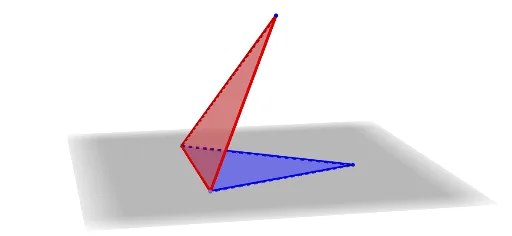
This example demonstrates the calculation and visualization of the angle between two planes. Key math concepts include plane equations, vector dot product, and angle computation. GeoGebra commands like Point, Polygon, Circle, Intersect, Segment, Vector, OrthogonalPlane, Translate, and Angle are used to construct planes and vectors, with vector dot product and magnitude calculations to find the angle. Suitable for high school solid geometry teaching or self-study to understand spatial geometric relationships.
GeoGebra Commands & Parameters
Point(xAxis) → APoint(xAxis) → BPolygon(A, B, D) → poly1, d, a, bPolygon(A, C, B) → poly2, b_1, a_1, cCircle(A, 6, zAxis) → eCircle(B, 6, zAxis) → fCircle(A, 6, xAxis) → gCircle(B, 6, xAxis) → hIntersect(e, g) → E, F, ,Intersect(f, h) → G, H, ,Segment(F, H) → iPoint(i) → IVector(F, I) → uPoint(c) → JOrthogonalPlane(J, c) → jIntersect(b_1, j) → KIntersect(b, j) → LSegment(K, J) → kSegment(J, L) → lPolygon(A, J, L) → poly3, l_1, a_2, j_1Polygon(A, J, K) → poly4, k_1, a_3, j_2Polygon(J, K, C, B) → poly5, j_3, k_2, c_1, b_2Polygon(J, L, D, B) → poly6, j_4, l_2, d_1, b_3Intersect(a_1, j) → MIntersect(a, j) → NSegment(M, J) → mSegment(J, N) → nPolygon(C, M, J, A) → poly7, c_2, m_1, j_5, a_4Polygon(M, B, J) → poly8, j_6, m_2, b_4Polygon(A, J, N, D) → poly9, a_5, j_7, n_1, d_2Polygon(N, J, B) → poly10, b_5, n_2, j_8Translate(poly5, u) → poly5'Translate(poly6, u) → poly6'Translate(poly8, u) → poly8'Translate(poly10, u) → poly10'Angle(D, A, C) → αAngle(K, J, L) → βAngle(C, B, D) → γAngle(K, J, A) → δAngle(L, J, A) → εAngle(M, J, N) → ζAngle(M, J, A) → ηAngle(N, J, A) → θAngle(M, J, L) → ιAngle(K, J, N) → κSegment(K, J) → s