
Angle Ratios Demo
Loading the math board and drawing, please wait…
In collections
iShortcut Geometry Vol. 1: Lines & Angles
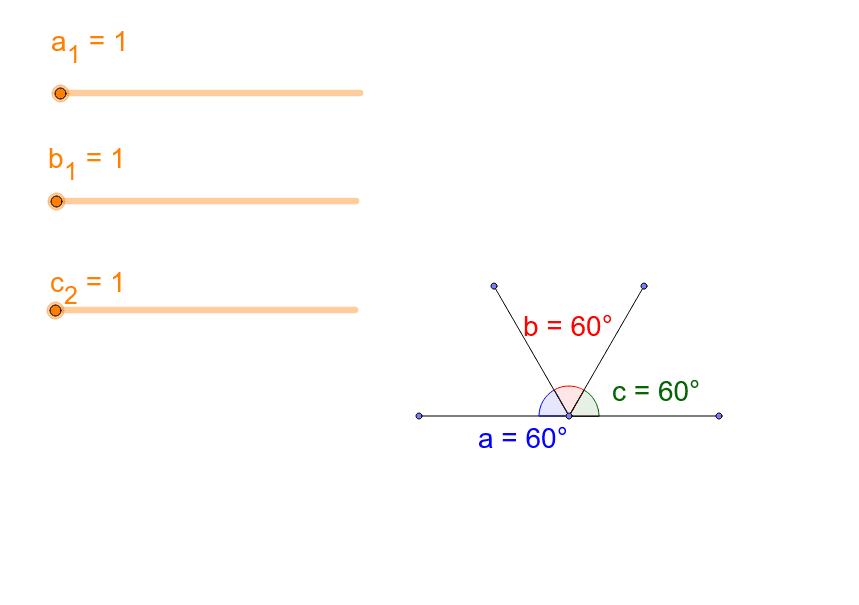
This example dynamically demonstrates the relationships between inscribed angles in a semicircle, revealing the geometric meaning of the Inscribed Angle Theorem. It involves core math concepts like inscribed angles, angle ratios, and trigonometry. Construction uses GeoGebra commands such as Point, Semicircle, Rotate, Angle, Segment. Suitable for high school mathematics teaching to visually understand angle ratios and circle properties.
GeoGebra Commands & Parameters
Point(xAxis) → DPoint(xAxis) → ESemicircle(D, E) → c_1Point(xAxis) → FRotate(D, ((-180 * ° / (a_1 + b_1 + c_2)) * a_1), F) → D'Rotate(D', ((-180 * ° / (a_1 + b_1 + c_2)) * b_1), F) → D''Angle(D', F, D) → aSegment(D', F) → dSegment(D'', F) → eAngle(D'', F, D') → bAngle(E, F, D'') → cSegment(D, F) → fSegment(E, F) → g
AI Drawing Prompt Reference
Draw a semicircle with two points on the horizontal axis as its diameter endpoints. Then, take another point on the horizontal axis. Rotate the first point by angle a to this new point, and rotate the resulting point by angle b to the previous point, forming a triangle. Draw line segments from the second point to these two points, measure the angles formed, and display their relationships to illustrate the inscribed angle theorem.
The prompt above was compiled from the original drawing commands and is for reference only.