
Triangle Perimeter Construction and Visualization
Loading the math board and drawing, please wait…
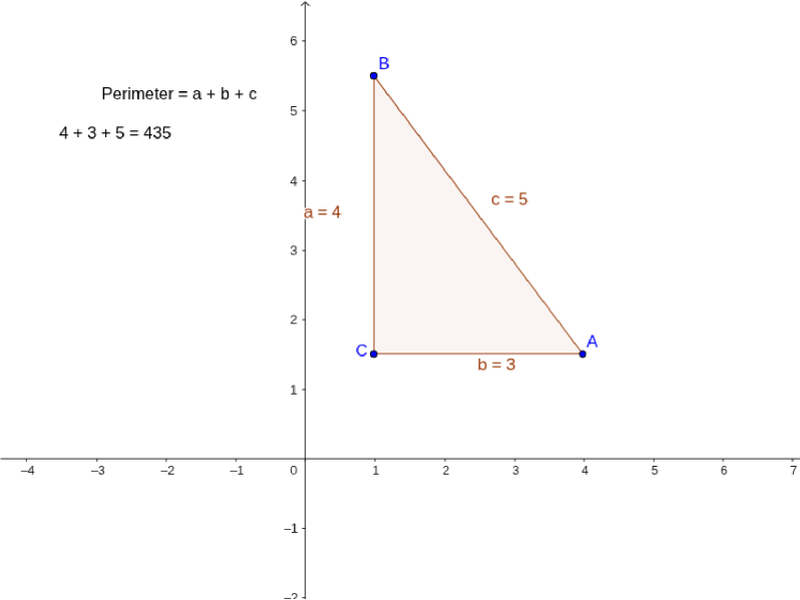
This GeoGebra example demonstrates the dynamic construction and perimeter calculation of a triangle. The core mathematical concepts include basic triangle geometry, the definition of perimeter, coordinate geometry of vertices, and similarity transformations. In terms of construction, it utilizes the `Polygon` command to generate the triangle `poly1` from vertices `A`, `B`, and `C`. The side lengths are tracked via variables `a`, `b`, and `c`, while the text objects `text1` and `text2` are used to display real-time perimeter information. This example is suitable for middle and high school students learning geometric constructions and the practical use of dynamic geometry software in mathematics.
GeoGebra Commands & Parameters
Polygon(A, B, C) → poly1, c, a, b
AI Drawing Prompt Reference
Draw a dynamic triangle visualization: start with three vertices, connect them in order to form a triangle, show the lengths of its three sides, and display the triangle's perimeter in real time near the figure so that when the vertices move, the side lengths and perimeter update accordingly. The overall scene should be clean and suitable for middle and high school geometry learning.
The prompt above was compiled from the original drawing commands and is for reference only.