
Angle in the Bend
Loading the math board and drawing, please wait…
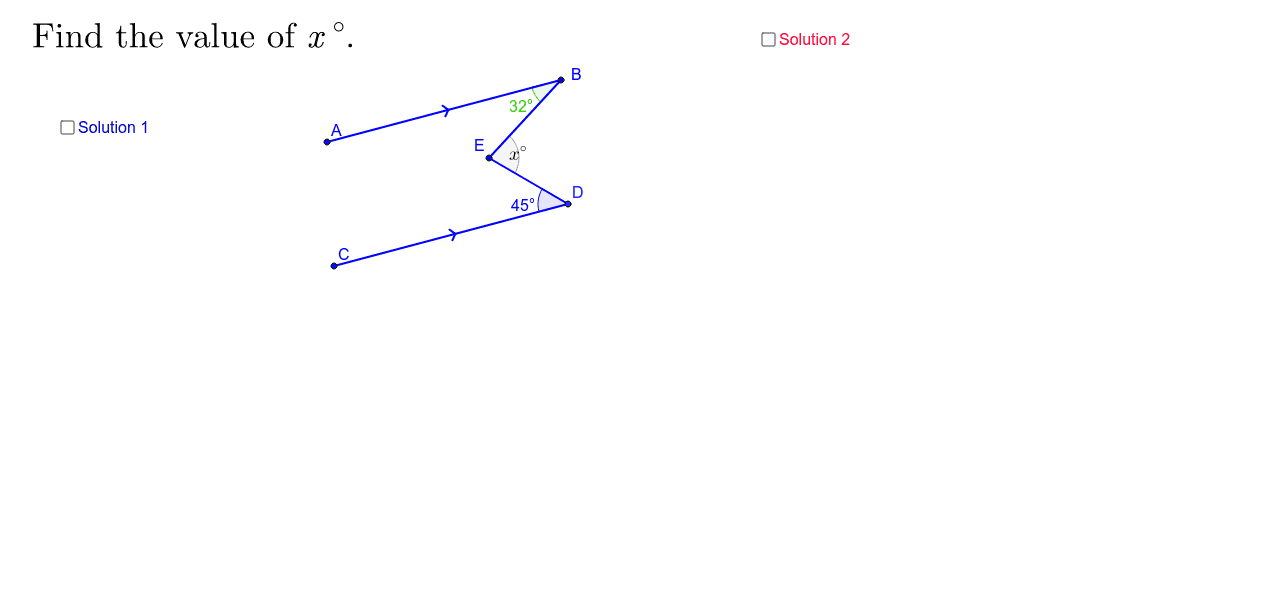
This GeoGebra applet provides two solutions for the 'Angle in the Bend' problem. Key mathematical concepts include angles and straight lines. Using commands such as Segment, Line, Intersect, Polygon, PointIn, Angle, Point, Vector, Translate, Ray, the applet constructs a geometric figure. Suitable for students in middle school and above to learn about angles and straight lines.
GeoGebra Commands & Parameters
Segment(A, C) → cLine(B, c) → dSegment(A, B) → aLine(C, a) → b_2Intersect(b_2, d) → DPolygon(A, B, D, C) → poly1, a_2, b_3, d_1, c_1Segment(C, D) → ePointIn(poly1) → ESegment(B, E) → fSegment(D, E) → gAngle(A, B, E) → βAngle(C, D, E) → γLine(E, a) → hLine(F_1, h) → iPoint(i) → G_1Vector(F_1, G_1) → uTranslate(E, u) → GAngle(B, E, G) → δAngle(D, E, G) → εAngle(D, E, B) → αRay(B, E) → tIntersect(b_2, t) → HAngle(E, H, D) → ζAngle(B, E, D) → ηAngle(B, C, D) → θVector(G_1, F_1) → vTranslate(E, v) → FVector(E, F) → jSegment(F, G) → a_1Segment(F, E) → b_1Angle(D, E, B) → ιPoint(u) → IPoint(u) → JVector(J, I) → bRay(D, C) → e_1
AI Drawing Prompt Reference
Draw a geometric figure with two intersecting lines forming angles. Start by drawing two line segments and their intersection point, then connect these points to form a quadrilateral. Locate a point inside the quadrilateral and draw two line segments from it. Measure and label the angles formed. Finally, draw a ray from one vertex of the quadrilateral that intersects one of the line segments, creating new angles.
The prompt above was compiled from the original drawing commands and is for reference only.