
Angle Between Two Vectors
Loading the math board and drawing, please wait…
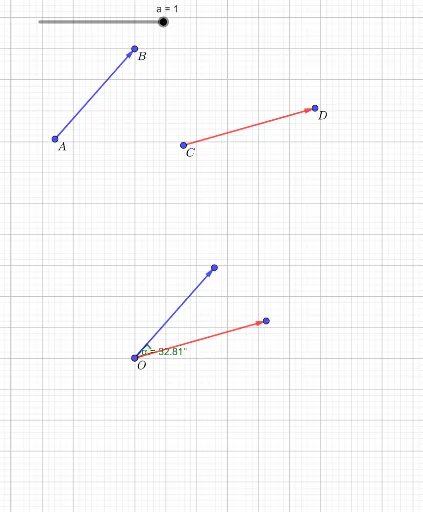
This example demonstrates how to calculate the angle between two vectors. Key math concepts include vectors, trigonometric functions, and linear regression. GeoGebra commands used are Vector, Dilate, Translate, and Angle. Suitable for high school and above mathematics education, helping students understand vector operations and trigonometric applications.
GeoGebra Commands & Parameters
Vector(A, B) → uVector(C, D) → vDilate(A, If[0 < a ≤ 1, 1 - a, 0], E) → A'Dilate(C, If[0 < a ≤ 1, 1 - a, 0], E) → C'Vector(A, A') → wTranslate(B, w) → B'Vector(A', B') → bVector(C, C') → cTranslate(D, c) → D'Vector(C', D') → dAngle(D', E, B') → α
AI Drawing Prompt Reference
Draw two vectors, then scale and connect their starting points to their scaled endpoints to form two new vectors. Move the endpoint of the first vector to the endpoint of the new vector to create one side of a parallelogram. Perform the same operation for the second vector to create the other side. Finally, measure the angle between the first vector and the diagonal of the parallelogram, and display the angle value.
The prompt above was compiled from the original drawing commands and is for reference only.