
Angle Between Two Planes
Loading the math board and drawing, please wait…
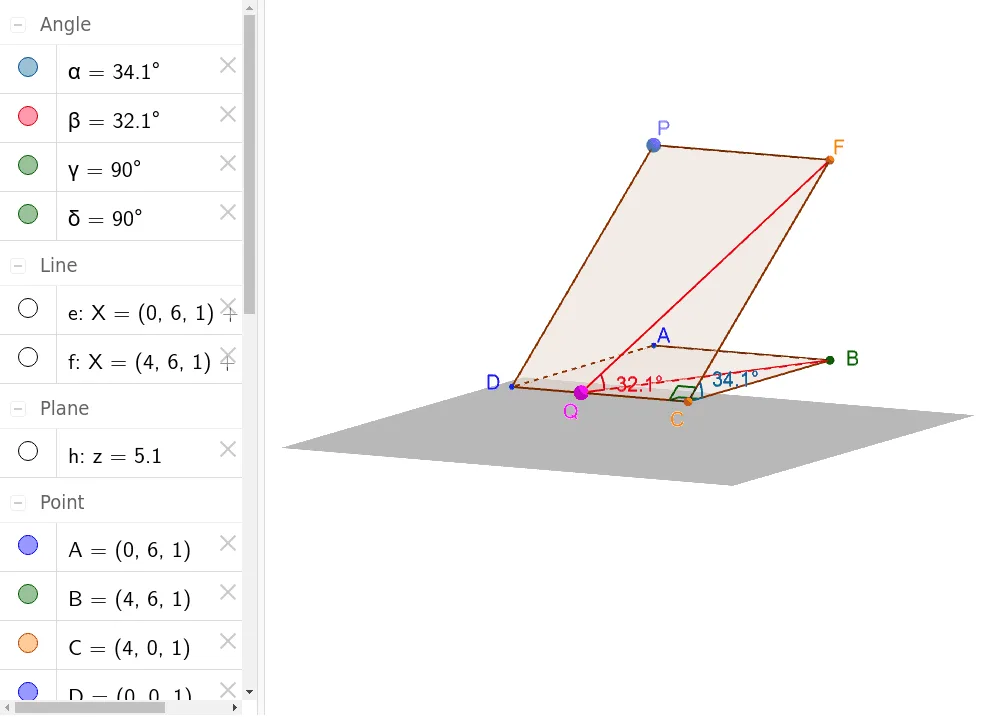
This example demonstrates how to calculate the angle between two planes, involving core math concepts like solid geometry, vector operations, and angle calculations. It is constructed using GeoGebra commands such as Polygon, OrthogonalLine, Point, OrthogonalPlane, Intersect, Angle, and Segment, making it suitable for high school and university-level mathematics education.
GeoGebra Commands & Parameters
Polygon(D, A, B, C) → poly1, d, a, b, cOrthogonalLine(A, xOyPlane) → ePoint(e) → POrthogonalLine(B, xOyPlane) → fOrthogonalLine(P, e, space) → gOrthogonalPlane(P, e) → hIntersect(f, h) → FPolygon(P, F, C, D) → poly2, e_1, f_1, c_1, d_1Angle(B, C, F) → αPoint(c) → QSegment(F, Q) → iSegment(Q, B) → jAngle(B, Q, F) → βAngle(F, C, D) → γAngle(B, C, D) → δ
AI Drawing Prompt Reference
Create a 3D solid-geometry diagram to illustrate the angle between two planes. First draw a quadrilateral in space to represent one plane, using four points, and take two of its defining points. From the relevant point on the first plane, construct an orthogonal line to that plane, then from another point build another perpendicular line to the same plane. Use a point created from the intersection/orthogonality relations to determine a second plane: the second plane should be constructed through that point and one of the perpendicular directions. Find where the second plane meets the chosen perpendicular line to get a key intersection point. Then form a polygonal region on the second plane connecting this intersection point with appropriate original points, and mark several angles defined by triples of points involving the intersection point and the original plane points, including the angle at the intersection and angles using the original quadrilateral’s vertices.
The prompt above was compiled from the original drawing commands and is for reference only.