
Angle Between Two Planes by chunyeeleung
Loading the math board and drawing, please wait…
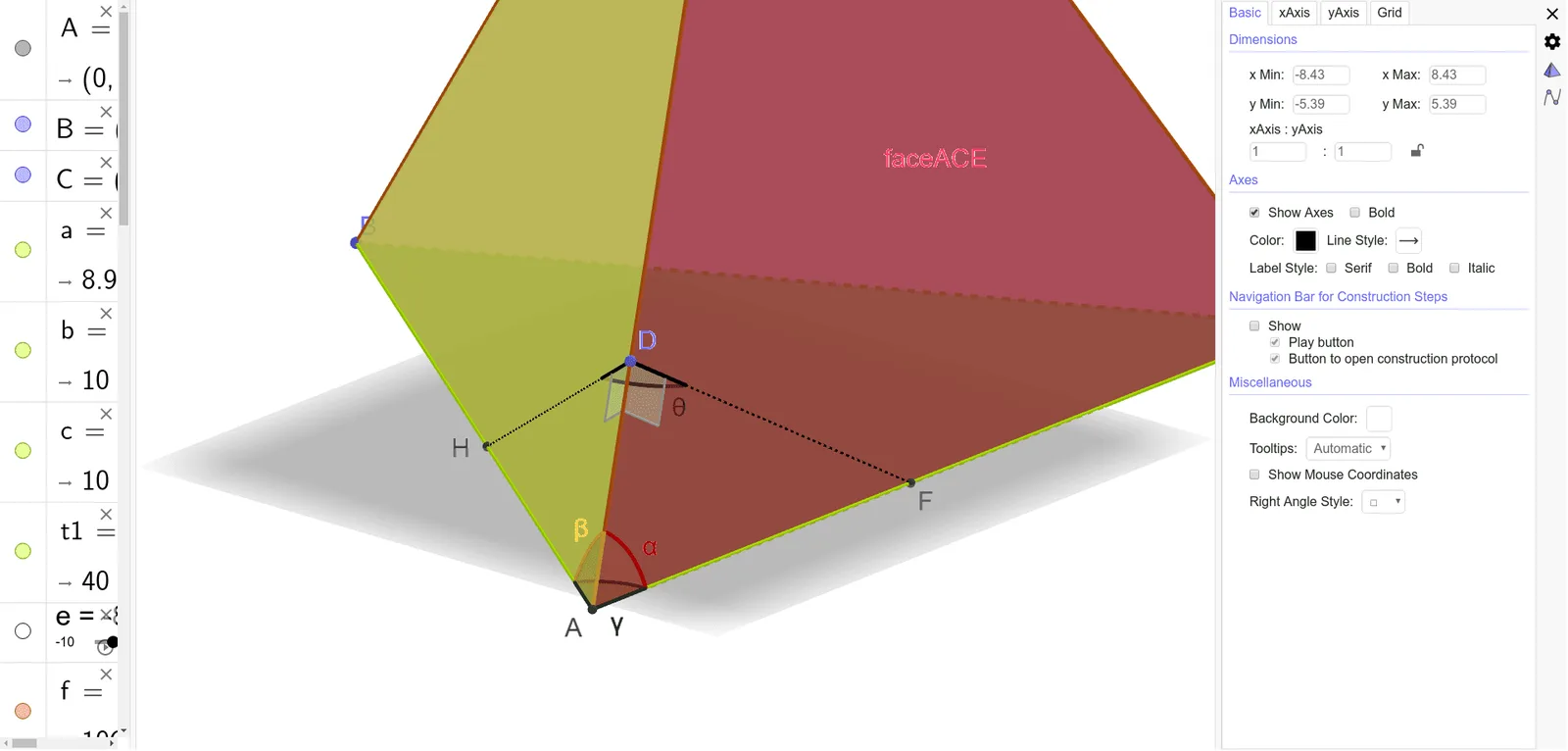
This example demonstrates how to calculate the angle between two planes in 3D space. Key mathematical concepts include plane equations, vector dot product, and spatial geometry. GeoGebra commands and objects used in the construction are Intersect, Polygon, Pyramid, Angle, Point, OrthogonalLine, Line, and Segment. It is suitable for high school geometry education or self-study to understand the calculation and visualization of spatial geometric relationships between planes.
GeoGebra Commands & Parameters
Intersect(xAxis, zAxis) → APolygon(A, B, C) → t1, c, a, bPyramid(t1, e) → f, E, faceABE, faceBCE, faceACE, edgeAE, edgeBE, edgeCEAngle(E, A, C) → αAngle(B, A, E) → βAngle(B, A, C) → γPoint(edgeAE) → DOrthogonalLine(C, edgeAE, space) → hLine(D, h) → gIntersect(g, b) → FIntersect(g, h) → GOrthogonalLine(B, edgeAE, space) → iLine(D, i) → jIntersect(j, c) → HIntersect(i, j) → ISegment(D, F) → kSegment(D, H) → lAngle(H, D, F) → θAngle(edgeAE, k) → δAngle(l, edgeAE) → ε
AI Drawing Prompt Reference
Visualize the angle between two intersecting planes in 3D space, highlighting plane equations, vector dot products, and spatial geometry. Start by plotting the intersection of coordinate axes to form a triangle representing one plane, then build a pyramid on this plane. Measure the angles between the pyramid's apex and the plane's vertices, and use these angles along with vector relationships to draw auxiliary lines through orthogonal segments and intersection points, culminating in multiple angle markings that clearly display the planes' interplanar angles and spatial geometric relationships.
The prompt above was compiled from the original drawing commands and is for reference only.