
Angle Between Planes
Loading the math board and drawing, please wait…
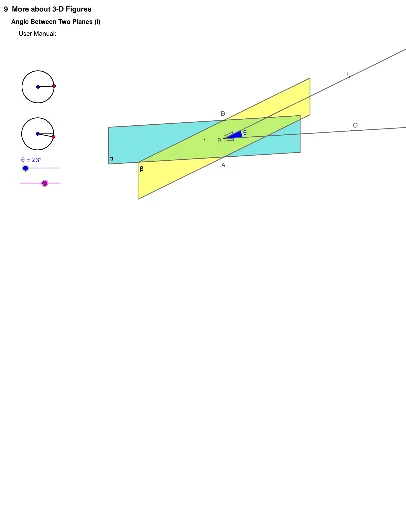
This example demonstrates how to calculate the angle between two planes using vector dot product, normal vectors, and the cosine theorem. It involves constructing segments, circles, points, angles, vectors, polygons, and rays with GeoGebra commands like Segment, Circle, Point, Angle, Vector, Polygon, Ray, Intersect. Suitable for high school solid geometry teaching and geometric construction practice.
GeoGebra Commands & Parameters
Segment(rotateLRc, rotateLR0) → aCircle(rotateLRc, rotateLR0) → cPoint(c) → rotateLRAngle(rotateLR0, rotateLRc, rotateLR) → αSegment(rotateLRc, rotateLR) → bCircle(rotateUDc, rotateUD0) → dPoint(d) → rotateUDAngle(rotateUD0, rotateUDc, rotateUD) → βSegment(rotateUDc, rotateUD0) → eSegment(rotateUDc, rotateUD) → fVector(O, O + (0, sin(β))) → OzVector(O, O + (cos(α), (sin(α) * cos(β)))) → OxVector(O, O + ((-1 * sin(α)), (cos(α) * cos(β)))) → OyPolygon(A1, A3, A4, A6) → poly1, a1, a3, a4, a6Polygon(A10, A12, A13, A15) → poly2, a10, a12, a13, a15Angle(A14, P, A2) → θ_1Ray(P, A14) → iRay(P, A2) → jPoint(j) → CPoint(i) → RCircle(P, 4) → kIntersect(k, j, 1) → QSegment(A, B) → lSegment(A16, A18) → mSegment(A18, A17) → nSegment(A19, A21) → pSegment(A21, A20) → q