
Algebraic Expressions with Addition and Subtraction
Loading the math board and drawing, please wait…
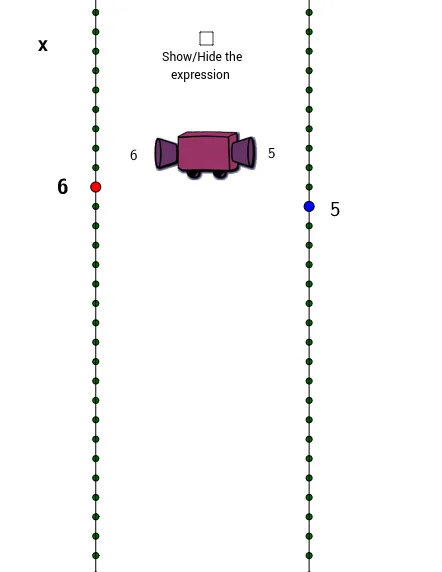
This example demonstrates how moving the red dot on the left number line affects the position of the blue dot on the right number line. By observing the relationship, students can explore how algebraic expressions describe the connection between variables. Key math concepts include number lines, variable relationships, and algebraic expressions. Construction highlights involve using sliders (Slider Animation) to control the red dot, generating axes and dynamic points with commands like Random, Segment, Point, Line, Sequence, and displaying expressions and values with text objects. Suitable for middle school mathematics education to visually illustrate the geometric meaning of algebraic operations.
GeoGebra Commands & Parameters
Random(-6, 6) → aSegment(A, B) → bPoint(b) → CLine(D, E) → cLine(B, A) → dSequence((x(B), w - 15), w, 0, tomakedots) → list1Sequence((x(E), w - 15), w, 0, tomakedots) → list2
AI Drawing Prompt Reference
Create a single diagram with two linked number-line style coordinate lines. Use a randomly chosen parameter point to define a base segment and construct two lines passing through the relevant endpoints. On the first line, generate a dynamic sequence of points whose positions depend on the parameter, and on the second line generate a corresponding dynamic sequence of points using the same parameter. Display both sets of points simultaneously so their relative placement shows the relationship between the parameter-driven motion on the left and the corresponding motion on the right.
The prompt above was compiled from the original drawing commands and is for reference only.