
Adding Two Sectors to 360 Degrees
Loading the math board and drawing, please wait…
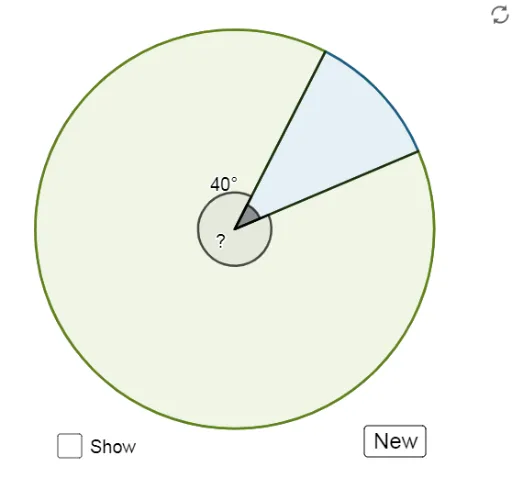
This example demonstrates how to combine two sectors to form a 360-degree circle. The key mathematical concepts involved are angles and circle properties. Using GeoGebra commands such as CircleSector, Angle, and Segment, two sectors are constructed and combined into a complete circle. Suitable for middle school and above students to learn geometric construction and circle-related knowledge.
GeoGebra Commands & Parameters
Circle((0, 0), 1) → cRandom(0, 180) → rmSegment((0, 0), A) → fSegment((0, 0), B) → gAngle(f, g) → αCircleSector((0, 0), A, B) → dCircleSector((0, 0), B, A) → eAngle(g, f) → β