
Adding Integers on a Number Line via Vector Displacement
Loading the math board and drawing, please wait…
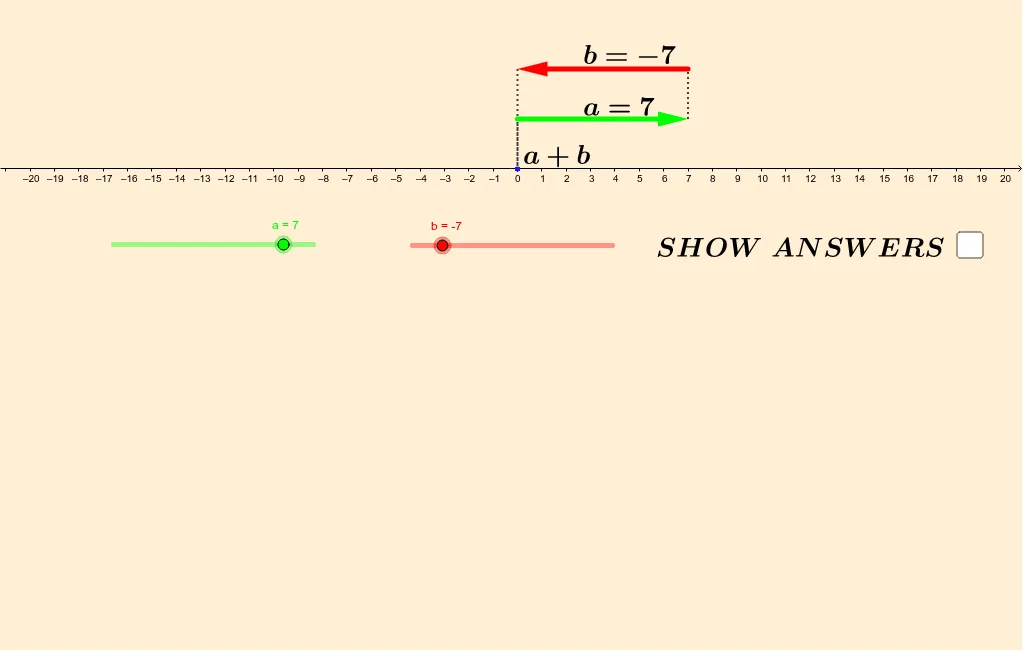
This example demonstrates how adding positive and negative integers works on a number line by visually mapping each addend to a directed movement and reading the sum from the final position. It reinforces core ideas such as the meaning of integer signs, the number line model of addition, and the connection between algebraic addition and geometric displacement (vector/segment interpretation). Construction is built with GeoGebra commands from the provided construction summary: Vector to represent directed shifts, Segment to draw the corresponding movement/number-line connections, and Midpoint to compute key auxiliary points for labeling or structure. The scene uses points (e.g., a, b, A, B, C, D and related labeled objects) and text objects (text1, text2, text3) to annotate steps and the resulting sum. Suitable for middle school students and basic arithmetic visualization in teaching or guided practice.
GeoGebra Commands & Parameters
Vector(A, B) → uVector(C, D) → vSegment(Z, A) → gSegment(B, C) → hSegment(D, R) → iVector(Z, R) → wVector(Z, R) → w_1Vector(A, B) → u_1Vector(C, D) → v_1Midpoint(C, D) → EMidpoint(A, B) → FMidpoint(Z, R) → G
AI Drawing Prompt Reference
Draw a number line with a starting point and an endpoint. Mark the start as 0 and the endpoint as 5. Draw two arrows, one from 0 to 5, representing addition. Label the arrows with positive and negative numbers. Connect the arrows with line segments to show displacement. Ensure the diagram is clear and labeled for teaching purposes.
The prompt above was compiled from the original drawing commands and is for reference only.