
Adding and Subtracting Integers Graphically by Ricardo García Mesa
Loading the math board and drawing, please wait…
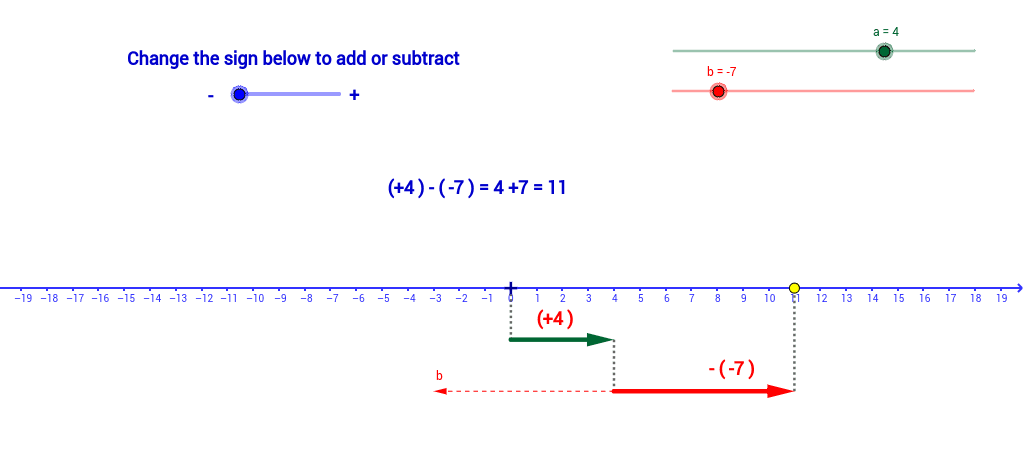
This applet demonstrates the addition and subtraction of integers graphically. Key mathematical concepts include integers, addition, and subtraction. It utilizes commands such as Line, Vector, Intersect, Segment, Mirror, and If in GeoGebra. Suitable for students from upper elementary to middle school to learn integer operations.
GeoGebra Commands & Parameters
Line(C, xAxis) → dVector(B, D) → uVector(C, E) → vOrthogonalLine(E, xAxis) → eIntersect(e, xAxis) → FSegment(E, F) → fSegment(D, C) → gSegment(A, B) → hMirror(E, C) → E'Vector(C, E') → wMidpoint(E, C) → GMidpoint(D, B) → HIf(signo < 0.0, "-", "+") → TextoSignoIf(a > 0.0, "+", " ") → TextoSignoaIf(b > 0.0, "+", " ") → TextoSignobIf(b2 ≥ 0.0, "+", " ") → TextoSignob2
AI Drawing Prompt Reference
Draw two parallel lines, one representing the x-axis and the other passing through point C. Create a vector from point B to D and another from point C to E. Draw a line through E perpendicular to the x-axis, intersecting it at point F. Connect E to F, D to C, and A to B. Reflect point E over C to get E', and draw a vector from C to E'. Find the midpoints of E and C (G) and D and B (H). Label with plus or minus signs based on the values.
The prompt above was compiled from the original drawing commands and is for reference only.