
Acute Triangle Demonstration
Loading the math board and drawing, please wait…
In collections
Area of Polygons
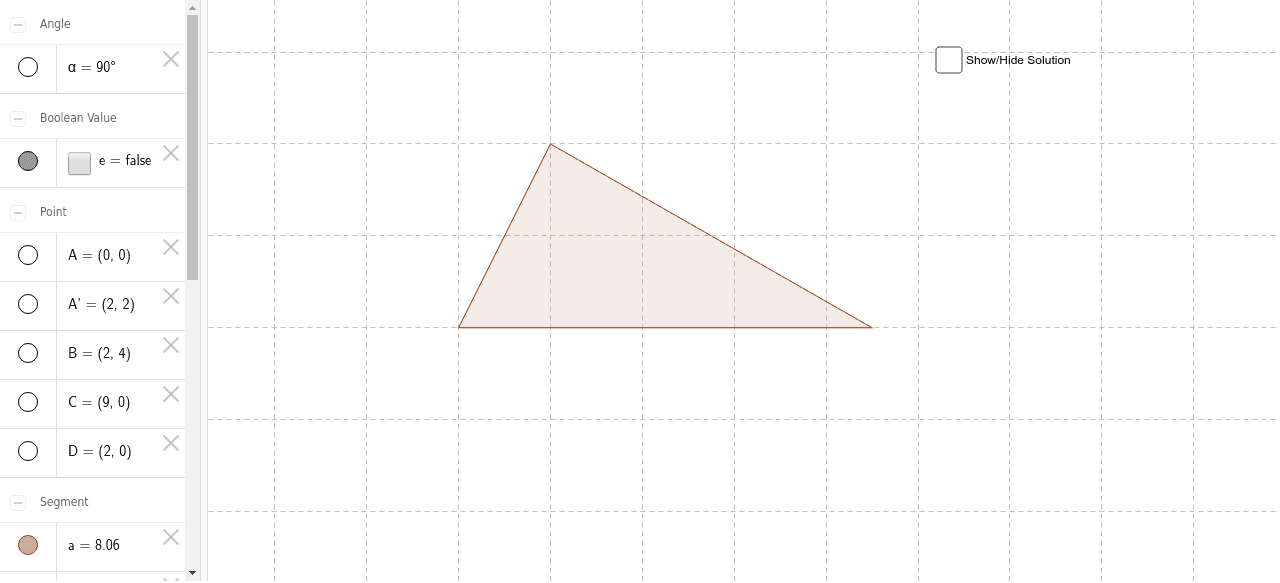
This example demonstrates the geometric construction and properties of an acute triangle. It involves core mathematical concepts such as triangle definition, angle measurement, and geometric transformations. The construction uses GeoGebra commands like Polygon, Point, Segment, Rotate, and Angle to create the triangle and control its acute angles. Suitable for high school mathematics instruction on geometric constructions and triangle classification.
GeoGebra Commands & Parameters
Polygon(A, B, C) → poly1, c, a, bPoint(b) → DSegment(B, D) → dRotate(A, -90*°, D) → A'Angle(A', D, A) → α
AI Drawing Prompt Reference
Draw an acute triangle with three vertices A, B, and C, connecting them to form the triangle. Then add a point D on line segment BC, draw a line segment BD. Next, rotate point A 90 degrees counterclockwise around point D to get point A', and finally measure the angle α between points D and A.
The prompt above was compiled from the original drawing commands and is for reference only.