
A Peanut Jumping Over A Wall
Loading the math board and drawing, please wait…
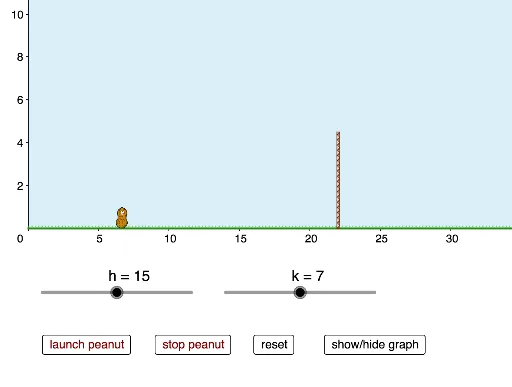
This example demonstrates how adjusting parameters of a quadratic function can make a peanut jump over a wall, involving function graph transformations and optimization. Key math concepts include quadratic functions, translations, and expected value. GeoGebra commands used are Intersect, CurveCartesian, If, Segment, Polygon, and Max. Suitable for high school students learning about function properties and applications, particularly in function transformations and optimization contexts.
GeoGebra Commands & Parameters
Intersect(f, xAxis) → C, DCurveCartesian(t, (-0.1 * (t - h)^(2)) + k, t, x(C), x(D)) → bIf(y(N) ≤ y(B), (n, q(n)), (n, p(n))) → ESegment(G, I) → iPolygon(J, K, M, L) → poly1, j, k_1, m, lIf(y(N) ≤ y(B), x(N), x(D)) → wPolygon(L, M, K, J) → poly2, l_1, m_1, k_2, j_1Segment(O, P) → gMax(p, x(C), x(D)) → Q
AI Drawing Prompt Reference
Draw a parabola that jumps between points on the x-axis, with a rectangle below and another above, connecting the two, and show a line segment between the rectangles to depict a peanut jumping over a wall.
The prompt above was compiled from the original drawing commands and is for reference only.