
A Parabola: Focus and Tangent Construction
Loading the math board and drawing, please wait…
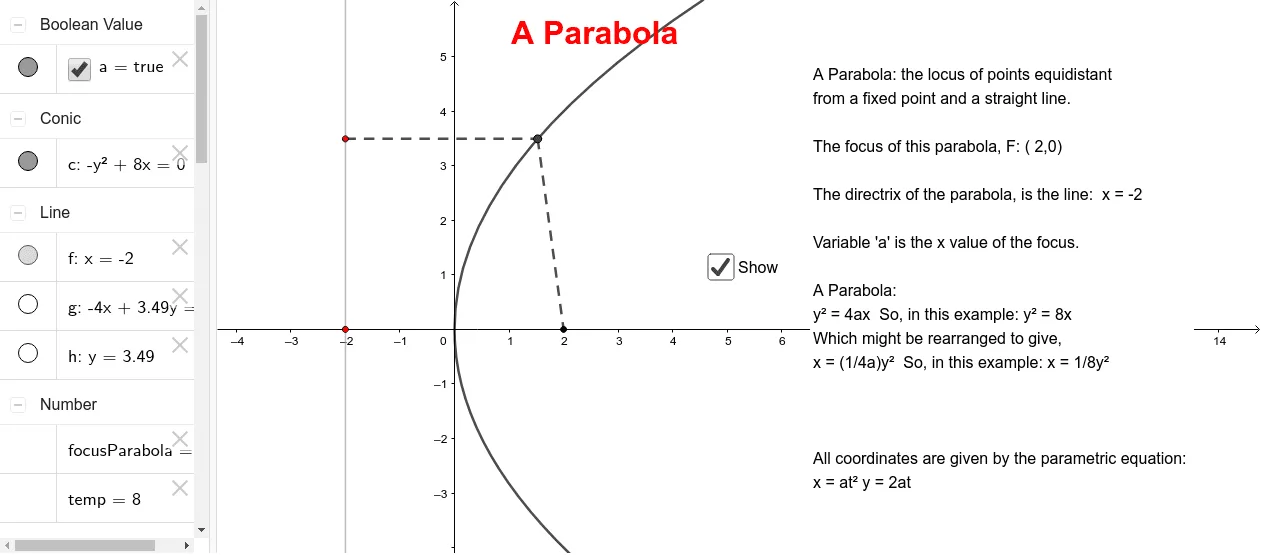
This GeoGebra example demonstrates the geometric construction of a parabola, highlighting its focus, directrix, and related segments. The core mathematical concept is the definition of a parabola as the set of points equidistant from a focus and a directrix, along with properties of perpendicular bisectors. The construction uses commands such as Point, LineBisector, Intersect, and Segment to create points A, B, C, lines f, g, h, segments i, j, and the final parabola object focusParabola. It is suitable for high school or early college students learning conic sections, analytic geometry, or optimization problems. By dragging points, learners can dynamically explore how the parabola changes, reinforcing the relationship between focus, directrix, and tangent lines. This interactive tool serves as an excellent visual aid for classroom demonstrations or self-study.
GeoGebra Commands & Parameters
Point(xAxis) → APoint(f) → BLineBisector(B, C) → gIntersect(g, h) → DSegment(B, D) → iSegment(D, C) → j
AI Drawing Prompt Reference
Draw a parabola with its focus F and directrix L, and their relationships. Start by taking a point F on the x-axis, then take a point B on L. Construct the perpendicular bisector g of B and C, and find its intersection D with L. Connect BD and DC, and finally construct the parabola based on F and g.
The prompt above was compiled from the original drawing commands and is for reference only.