
5 Forces and friction: page 102
Loading the math board and drawing, please wait…
In collections
Pearson Maths A level Statistics and Mechanics 2
Pearson Maths A level Statistics and Mechanics 2
Pearson Maths A level Statistics and Mechanics 2
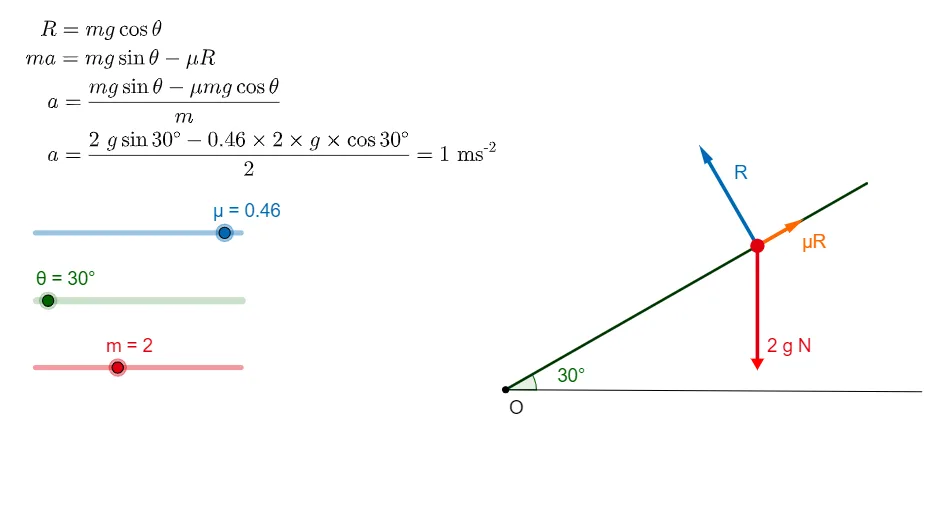
This example demonstrates the effects of forces and friction in geometric figures. Key mathematical concepts include force addition, friction calculation, and geometric transformations. Construction involves GeoGebra commands such as Point, Rotate, Segment, Sequence. Suitable for high school or university mathematics courses to understand the integration of physics and geometry.
GeoGebra Commands & Parameters
Point(s_1) → DRotate(A, θ, D) → BSegment(D, B) → sPoint(s) → HSequence(Segment[(-100, i), (100, i)], i, -50, 50, 1) → list2Sequence(Segment[(i, -100), (i, 100)], i, -50, 50, 1) → list4Angle(A, D, B) → θ_1Line(D, A) → fLine(D, B) → gSegment(D, A) → hOrthogonalLine(R, s) → jOrthogonalLine(G, s) → m_1Point(m_1) → EPoint(m_1) → FCircle(C, H) → cTangent(H, c) → k,Vector(H, I) → uSegment(H, J) → lVector(H, K) → μRLine(L, s) → iPoint(i) → N
AI Drawing Prompt Reference
Draw a geometric diagram illustrating forces and friction. Start with a fixed point)Skip, rotate another known point around it to create a new point, and connect these two points with a segment. Pick a point on this segment and mark the angle formed by the fixed point, the segment point, and the rotated point. From the fixed point, draw two rays in opposite directions, and construct a perpendicular line to one of them. Place two points on this perpendicular line, use one as the center of a circle passing through the segment point, and draw a tangent line to this circle. From the segment point, draw vectors toward other points, including a friction vector. Finally, construct a line parallel to the original segment and place a point on it to complete the figure.
The prompt above was compiled from the original drawing commands and is for reference only.