
4Q Quiz: Graphing Square Root Functions with Transformations
Loading the math board and drawing, please wait…
In collections
Square Root Function Anatomy: Exploration
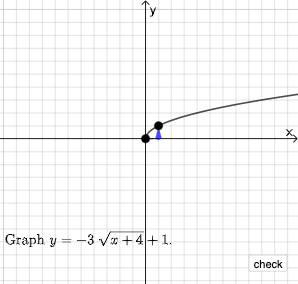
This example demonstrates how to graph square root functions using transformations. It involves core math concepts like function graphs, square root functions, geometric transformations, and coordinate geometry. GeoGebra commands and objects used include Point, Line, Vector, Polygon, RotateText, Segment, RandomElement, Random, If. Suitable for high school mathematics teaching and student practice on function graphing and transformations.
GeoGebra Commands & Parameters
Point(Segment[(h + 1, y(C) + 10), (h + 1, y(C) - 10)]) → DLine(A, B) → fVector(A, C) → uPolygon(A, C, B) → t1, b, a_1, cRotateText(text2, pi / 2) → text3Segment(A, C) → h_{1}Vector(C, D) → vVector((h, 0), A) → wVector((0, 0), (h, 0)) → jRandomElement({-8, -7, -6, -5, -4, -3, -2, -1, 1, 2, 3, 4, 5, 6, 7, 8}) → nRandom(-8, 8) → oRandom(-8, 8) → pIf(h ≟ o, "Horizontal shift is correct!", "Horizontal shift is not correct.") → text9If(n ≟ rise, "Vertical stretch is correct!", "Vertical stretch is not correct.") → text10If(p ≟ y(A), "Vertical shift is correct!", "Vertical shift is not correct.") → text11
AI Drawing Prompt Reference
Draw a square root function graph with transformations. Start by creating points A and C, then create a line f through these points. Next, create vectors u and v, and use them to form a polygon t1. Then, create a segment h1 through points A and C, and create vectors w and j. Finally, generate random numbers n, o, and p, and display text prompts to check if the transformations are correct.
The prompt above was compiled from the original drawing commands and is for reference only.