
3D Vectors and Their Direction Cosines
Loading the math board and drawing, please wait…
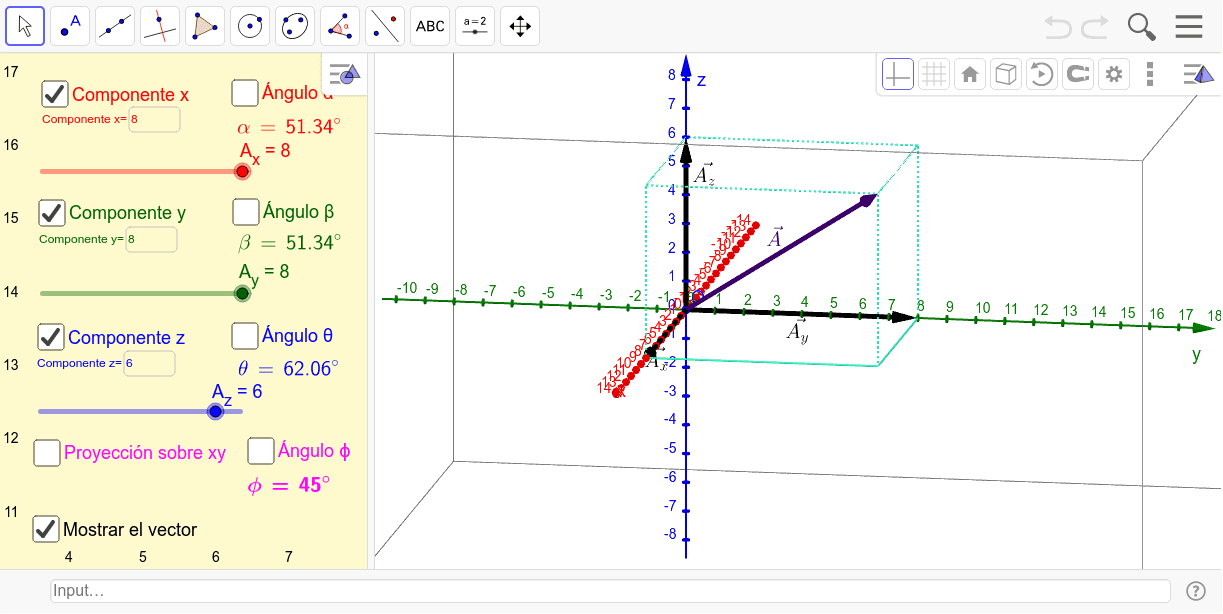
This example demonstrates 3D vectors and their direction cosines. Key mathematical concepts include the representation of vectors in 3D space and the calculation of direction cosines. Using GeoGebra commands such as Vector, OrthogonalLine, and Intersect, the construction of 3D vectors and their representation in a coordinate system is illustrated. Suitable for high school and above students to learn about 3D vectors.
GeoGebra Commands & Parameters
Vector(O, A) → uVector(O, B) → vVector(O, C) → wOrthogonalLine(A, xAxis, xOyPlane) → bOrthogonalLine(B, yAxis, xOyPlane) → cIntersect(c, b) → DPolygon(O, A, D, B) → poly1, o, a_1, d, b_1Prism(poly1, C) → e, E, edgeAE, edgeDF, edgeBG, edgeCE, edgeEF, edgeFG, edgeCG, F, G, faceAECO, faceADFE, faceBDFG, faceBGCO, faceCEFG, edgeCOAngle(a, veci) → αAngle(a, vecj, xOyPlane) → βAngle(a, veck) → θTextfield(A_x) → InputBox1Textfield(A_y) → InputBox2LaTeX(α, true, true) → text1LaTeX(β, true, true) → text2Textfield(A_z) → InputBox3LaTeX(θ, true, true) → text3Angle(veci, a_{xy}, xOyPlane) → ϕLaTeX(ϕ, true, true) → text4
AI Drawing Prompt Reference
Draw three vectors in a 3D coordinate system with their starting points at the origin and ending points on the axes. From these vectors, draw perpendicular lines to the coordinate planes and find their intersection point. Form a polygon using the origin and the intersection point, then extend it upward to create a prism, illustrating the spatial shape of the vectors. Label the angles between the vectors and the axes, and display the degree measures of these angles next to them.
The prompt above was compiled from the original drawing commands and is for reference only.