
Projection of the Cuboid Diagonal by Anthony OR 柯志明
Loading the math board and drawing, please wait…
In collections
Projections and Angles
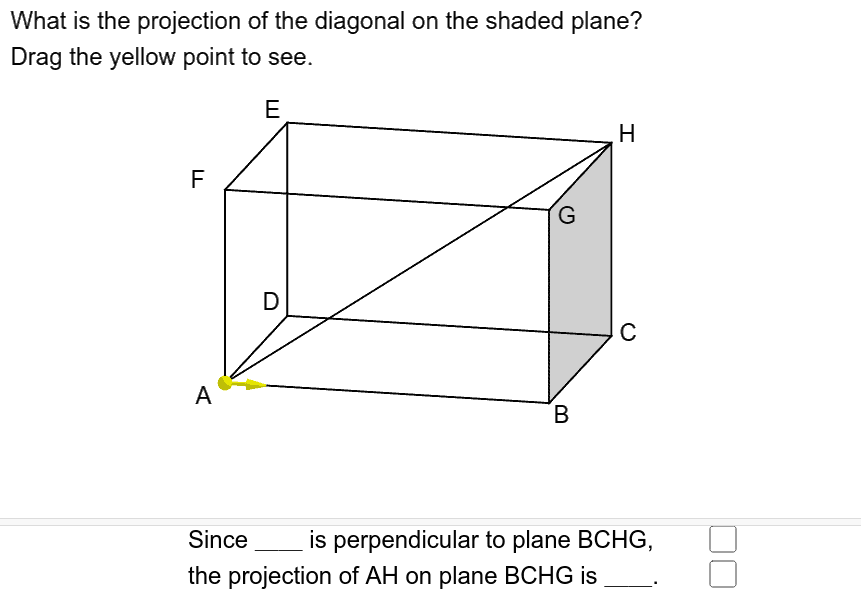
This example demonstrates the projection of the cuboid diagonal. It involves core mathematical concepts such as vectors, coordinate geometry, and solid geometry. The construction uses commands like Translate, Segment, Point, Vector, and Angle in GeoGebra. Suitable for high school and above students to learn about spatial geometry and vector projections.
GeoGebra Commands & Parameters
Translate(Polygon[B, C, H, G], Vector[(0, 0)]) → poly1Translate(Prism[Polygon[A, A + (5, 0), A + (5, 4), A + (0, 4)], 3], Vector[(0, 0)]) → aSegment(A, H) → iPoint(Segment[A, B]) → PSegment(B, H) → fSegment(A, P) → jVector(P, P + (0.7, 0, 0)) → uAngle(H, B, A) → α
AI Drawing Prompt Reference
Draw a cuboid and show the projection of its diagonal. First, sketch the three visible faces of the cuboid. Then identify the start and end points of the diagonal. Next, draw a line segment starting from the diagonal's endpoint, perpendicular to the diagonal, to represent the projection. Finally, label the relevant angles of the diagonal and projection to illustrate concepts in spatial geometry and vector projection.
The prompt above was compiled from the original drawing commands and is for reference only.