
3D Rotation and Reflection Matrices
Loading the math board and drawing, please wait…
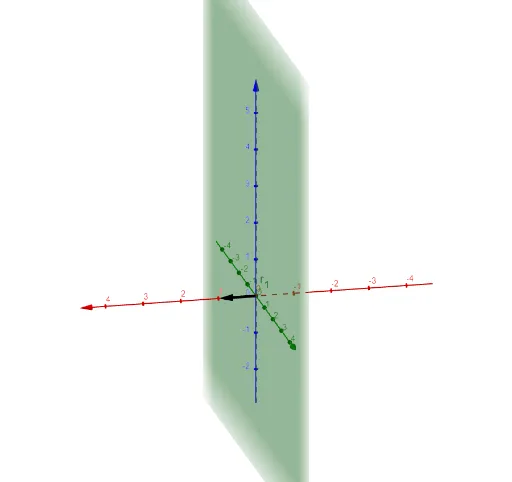
This example demonstrates the effects of rotation and reflection transformations on a sphere in 3D space. It involves core mathematical concepts such as 3D matrix transformations, rotation angles, reflection operations, and orthogonal planes. Key GeoGebra commands used include ApplyMatrix for applying matrix transformations, Sphere for drawing the sphere, and OrthogonalPlane for creating orthogonal planes, along with parameters like θ_{x}, θ_{y}, θ_{z} and objects like Q_{x}, Q_{y}, Q_{z}. It is suitable for high school students and math enthusiasts studying spatial geometric transformations and linear algebra.
GeoGebra Commands & Parameters
ApplyMatrix(Q_{z}, v) → v'_1Sphere(P, r) → dApplyMatrix(R_{0}, P) → P'Sphere(P', r) → eOrthogonalPlane((0, 0, 0), v) → pApplyMatrix(R_{0}, v) → v'OrthogonalPlane((0, 0, 0), v') → qOrthogonalPlane((0, 0, 0), v'_1) → p_1ApplyMatrix(Q_{z}, P) → P'_1ApplyMatrix(Q_{x}, v'_1) → uOrthogonalPlane((0, 0, 0), u) → q_1ApplyMatrix(Q_{x}, P) → P'_2ApplyMatrix(((Q_{x} * Q_{z}) * Q_{y}), v) → v'_2OrthogonalPlane((0, 0, 0), v'_2) → r_1
AI Drawing Prompt Reference
Draw a sphere and apply matrix transformations for rotation around the z-axis and reflection across the x-axis, followed by rotation around the x-axis. First, create a sphere, then apply the z-axis rotation matrix, followed by the x-axis rotation and reflection matrices, and finally create the corresponding planes at the origin.
The prompt above was compiled from the original drawing commands and is for reference only.