
3D Mirror Reflection about the Plane z = x
Loading the math board and drawing, please wait…
In collections
Reflecting about Planes
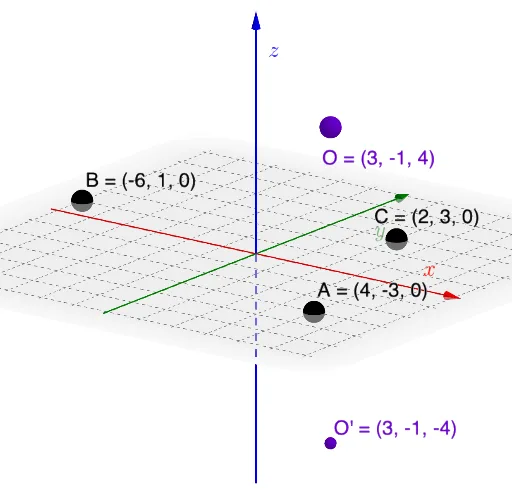
This GeoGebra example demonstrates how to construct a 3D mirror reflection about the plane z=x. Key mathematical concepts include spatial plane reflection, intersection of lines and planes, orthogonal line construction, rotation, and dilation transformations. Construction steps: Use the Plane command to create the reflection plane z=x, apply the Mirror command to reflect spatial points, use Line and Intersect to find line-plane intersections, employ OrthogonalLine for perpendicular constructions, utilize Dilate for similarity transformations, apply Rotate for rotation, create points with Point command, and measure angles with Angle command. This example is suitable for high school and college students studying solid geometry and spatial coordinate geometry, serving as a practical tutorial for mastering GeoGebra 3D construction techniques with interactive slider animations.
GeoGebra Commands & Parameters
Plane(A, B, C) → pMirror(O, p) → O'Line(O, O') → fIntersect(p, f) → DOrthogonalLine(D, Vector[D, O], Vector[D, B]) → jPlane(f, j) → qDilate(O, If[0 < SlideMe ≤ 1, 1 - SlideMe, 0], D) → O'_{1}Segment(O, O'_{1}) → gDilate(D, If[1 < SlideMe ≤ 2, 2 - SlideMe, 0], O') → D'Segment(D, D') → hOrthogonalLine(D, Vector[O, O'], xOyPlane) → iPoint(i) → ERotate(O, If[2 < SlideMe ≤ 3, ((SlideMe - 2) * π), π], D, q) → O'_{2}Rotate(O'_{1}, If[2 < SlideMe ≤ 3, ((SlideMe - 2) * π), π], D, q) → FSegment(O'_{2}, F) → g'Point(j) → GAngle(G, D, O) → α
AI Drawing Prompt Reference
In 3D space, draw a plane z=x as the reflection plane, then select a spatial point O and reflect it about the plane to get point O'. Connect O and O' to form line f, find the intersection point D of the plane and line, and draw perpendicular lines from D to the directions of O and B to get point G, constructing another auxiliary plane q. Use a slider to control the scaling transformation of point O relative to D to get O'_{1}, and draw segment OO'_{1}. Scale point D differently to get D', and draw segment DD'. Draw perpendicular lines from D to the directions of O and O' to get point E, and rotate point O around D by π radians to get O'_{2}, while also rotating O'_{1} around D. Finally, draw segment O'_{2}F and the angle connecting points G, D, and O.
The prompt above was compiled from the original drawing commands and is for reference only.