
3D Implicit Surface Grapher: Gumdrop Torus
Loading the math board and drawing, please wait…
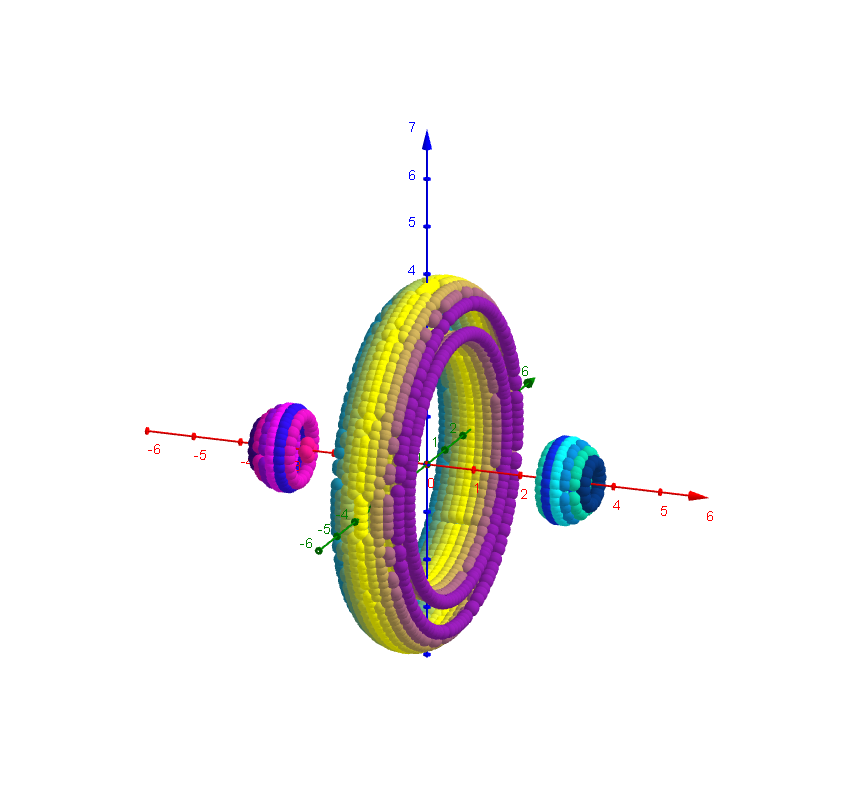
This example demonstrates the 3D implicit surface of a gumdrop torus. Key mathematical concepts include implicit functions and 3D coordinate systems. It is constructed using GeoGebra commands such as Textfield, button, and inputBox. Suitable for high school and above students or teachers for teaching and learning 3D geometry.
GeoGebra Commands & Parameters
Textfield(x_{min}) → Textfeld1Textfield(y_{min}) → Textfeld2Textfield(z_{min}) → Textfeld3Textfield(x_{max}) → Textfeld4Textfield(y_{max}) → Textfeld5Textfield(z_{max}) → Textfeld6Textfield(Nn) → Textfeld10Textfield(g) → Textfeld13Textfield(b) → inputBox1
AI Drawing Prompt Reference
Draw a 3D gumdrop torus. Adjust the x, y, and z minimum and maximum values to set the coordinate system range. Use the input box to set parameters Nn and g, where Nn affects the complexity of the torus and g affects its shape. Ensure the x, y, and z ranges are appropriate to observe the complete 3D shape.
The prompt above was compiled from the original drawing commands and is for reference only.