
3-D Pyramids Model
Loading the math board and drawing, please wait…
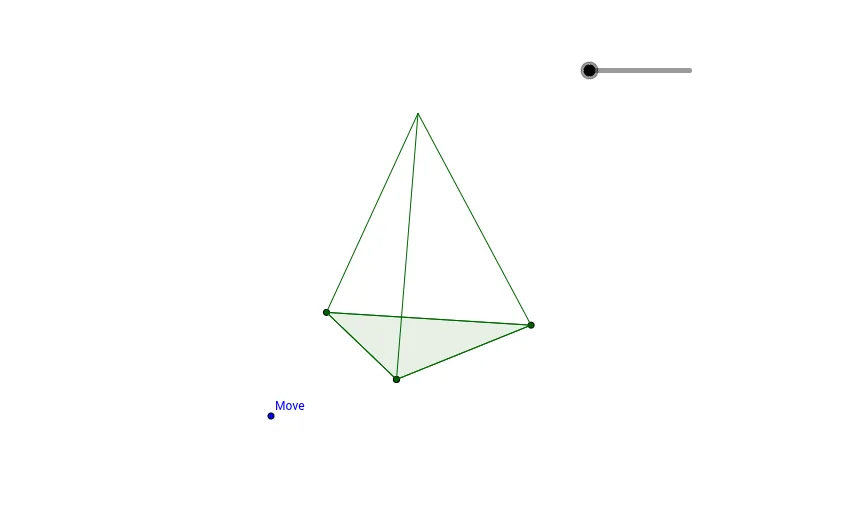
This example demonstrates the construction and dynamic manipulation of 3-D pyramids. It involves core mathematical concepts such as solid geometry, vector operations, and coordinate geometry. Construction highlights include commands like Vector, Sequence, Conic, and Polygon in GeoGebra. Suitable for high school geometry teaching and practical geometric constructions.
GeoGebra Commands & Parameters
Vector(B, E) → uVector(B, C) → vVector(B, D) → wSequence(F - (sin(i) * w + cos(i) * u), i, 0, α, α / h) → list1Sequence(Segment[Element[list1, i], I], i, 0, h) → list2Conic(Element[list1, 1], Element[list1, 10], Element[list1, 3], Element[list1, 15], Element[list1, 5]) → kSequence(Segment[Element[list1, i], Element[list1, i + 1]], i, 0, h) → list3Polygon(list1) → poly1, , , ,
AI Drawing Prompt Reference
Draw a 3D pyramid model to demonstrate its dynamic construction. Start by creating three vectors pointing from the apex to the base vertices, then generate a series of points using sine and cosine functions to form the side profile of the pyramid. Connect these points with small line segments to outline the sides, and finally assemble all the sides to form the pyramid's surface.
The prompt above was compiled from the original drawing commands and is for reference only.