
2D Vectors
Loading the math board and drawing, please wait…
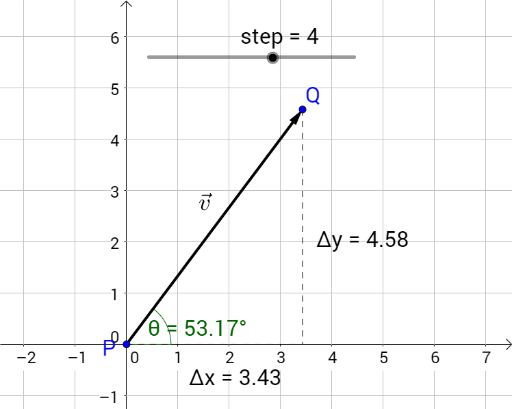
This example demonstrates the basic concepts of 2D vectors, including vector difference, slope, and derivative. Using GeoGebra commands such as Vector, Segment, Midpoint, etc., it visually illustrates vector addition and subtraction, length calculation, and angle measurement. Suitable for high school mathematics education and learning.
GeoGebra Commands & Parameters
Vector(P, Q) → vSegment(P, C) → ΔxSegment(Q, C) → ΔyLaTeX("\vec v") → text1Midpoint(P, Q) → DAngle(Line[P, (16, y(P))], Line[P, Q]) → θ
AI Drawing Prompt Reference
Draw a 2D vector diagram with two points P and Q, and the vector v between them. Draw a line segment between P and Q to represent vector v. Then draw a vertical line segment Δx from P to the x-axis and a vertical line segment Δy from Q to the x-axis to represent the components of vector v. Draw the midpoint D between P and Q and measure the angle θ between vector v and the x-axis.
The prompt above was compiled from the original drawing commands and is for reference only.