
2-Point Perspective Cube Sketching Puzzle
Loading the math board and drawing, please wait…
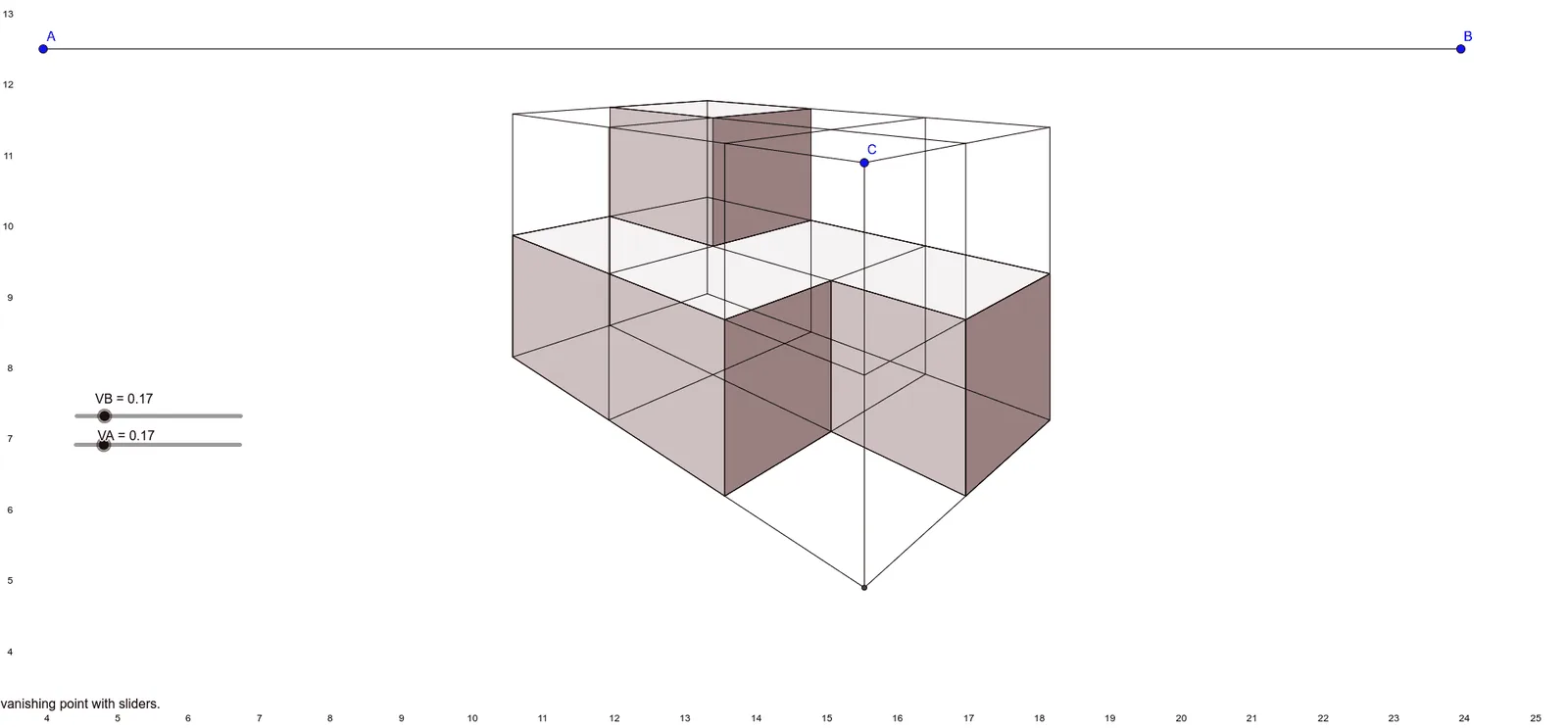
This example demonstrates how to sketch a cube using 2-point perspective, showcasing perspective principles through a dynamic model. Core math concepts include solid geometry, geometric construction, and coordinate geometry. Construction highlights from the summary involve commands like Segment, Line, Midpoint, Intersect, and Polygon, along with objects A, B, C, etc. Suitable for high school students or math enthusiasts to learn spatial geometry and perspective techniques.
GeoGebra Commands & Parameters
Segment(A, B) → fSegment(C, D) → gLine(D, A) → hMidpoint(g) → ESegment(I, F) → iSegment(J, G) → jSegment(K, H) → kSegment(H, D) → lSegment(K, C) → mMidpoint(k) → LSegment(L, E) → nIntersect(n, j) → MIntersect(n, i) → NSegment(D, P) → pSegment(C, Q) → qSegment(Q, P) → rSegment(R, O) → sMidpoint(r) → SSegment(E, S) → tIntersect(t, s) → TLine(H, B) → aLine(P, A) → bIntersect(a, b) → ULine(Q, A) → cLine(K, B) → dIntersect(d, c) → VSegment(K, V) → eSegment(V, Q) → f_1Line(J, B) → g_1Line(I, B) → h_1Midpoint(e) → WSegment(R, W) → i_1Intersect(g_1, f_1) → ZIntersect(h_1, f_1) → A_1Segment(J, Z) → j_1Segment(I, A_1) → k_1Intersect(j_1, i_1) → B_1Intersect(k_1, i_1) → C_1Segment(U, V) → l_1Midpoint(l_1) → D_1Segment(L, D_1) → m_1Segment(D_1, S) → n_1Segment(U, H) → p_1Segment(U, P) → q_1Midpoint(p_1) → E_1Segment(O, E_1) → r_1Line(G, B) → s_1Line(F, B) → t_1Intersect(s_1, q_1) → F_1Intersect(t_1, q_1) → G_1Segment(G, F_1) → a_1Segment(F, G_1) → b_1Segment(W, E_1) → c_1Intersect(m_1, c_1) → H_1Segment(Z, F_1) → d_1Segment(A_1, G_1) → e_1Intersect(n_1, d_1) → I_1Intersect(e_1, n_1) → J_1Segment(H_1, T) → f_2Segment(N, J_1) → g_2Segment(M, I_1) → h_2Intersect(f_2, h_2) → K_1Intersect(g_2, f_2) → L_1Intersect(a_1, r_1) → M_1Intersect(b_1, r_1) → N_1Segment(L, H) → m_2Segment(O, T) → n_2Segment(T, L_1) → q_2Segment(L_1, N_1) → a_2Segment(W, V) → b_2Segment(V, Z) → c_2Segment(W, B_1) → d_2Segment(B_1, Z) → e_2Segment(W, H_1) → f_3Segment(H_1, L) → g_3Segment(H_1, K_1) → h_3Segment(K_1, B_1) → i_3Segment(K_1, I_1) → j_3Segment(I_1, Z) → k_3Segment(L, N) → i_2Segment(H, F) → l_2Segment(N, F) → m_3Segment(N, L_1) → n_3Segment(F, N_1) → p_3Segment(N_1, O) → q_3Segment(O, P) → j_2Segment(I_1, S) → k_2Segment(S, P) → p_2Segment(S, T) → r_2Intersect(m_2, g_3) → O_1Intersect(f_3, g_3) → P_1Intersect(h_3, i_3) → Q_1Intersect(j_3, k_3) → R_1Intersect(k_2, p_2) → S_1Intersect(n_2, q_2) → T_1Intersect(q_2, a_2) → U_1Intersect(i_2, m_3) → V_1Polygon(O_1, P_1, Q_1, R_1, S_1, T_1, U_1, V_1) → poly1, o_1, s_2, t_2, l_3, r_3, s_3, u_1, v_1Intersect(n_2, q_2) → W_1Intersect(k_2, p_2) → Z_1Intersect(j_2, p_2) → A_2Intersect(n_2, q_3) → B_2Polygon(W_1, Z_1, A_2, B_2) → q1, w_1, z_1, t_3, a_3Intersect(i_2, m_3) → C_2Intersect(q_2, a_2) → D_2Intersect(a_2, p_3) → E_2Intersect(l_2, m_3) → F_2Polygon(C_2, D_2, E_2, F_2) → q2, b_3, c_3, d_3, e_3Intersect(d_2, e_2) → G_2Intersect(c_2, e_2) → H_2Intersect(j_3, k_3) → I_2Intersect(h_3, i_3) → J_2Polygon(G_2, H_2, I_2, J_2) → q3, f_4, g_4, h_4, i_4Intersect(b_2, d_2) → K_2Intersect(b_2, c_2) → L_2Intersect(c_2, e_2) → M_2Intersect(d_2, e_2) → N_2Polygon(K_2, L_2, M_2, N_2) → q4, j_4, k_4, l_4, m_4Intersect(m_2, l_2) → O_2Intersect(m_2, g_3) → P_2Intersect(i_2, m_3) → Q_2Intersect(l_2, m_3) → R_2Polygon(O_2, P_2, Q_2, R_2) → q5, o_2, n_4, p_4, q_4Intersect(f_3, g_3) → S_2Intersect(b_2, d_2) → T_2Intersect(d_2, e_2) → U_2Intersect(h_3, i_3) → V_2Polygon(S_2, T_2, U_2, V_2) → q6, r_4, s_4, u_2, v_2Intersect(a_2, p_3) → W_2Intersect(q_2, a_2) → Z_2Intersect(n_2, q_2) → A_3Intersect(n_2, q_3) → B_3Polygon(W_2, Z_2, A_3, B_3) → q7, w_2, z_2, t_4, a_4Intersect(l, p) → C_3Segment(C, C_3) → b_4
AI Drawing Prompt Reference
Sketch a cube using two-point perspective. Start by drawing the front and back faces of the cube, then draw the sides, ensuring all segments and points follow the perspective principles. First, draw points A, B, C, and D, then draw segments AB and CD, followed by segment DA. Find the midpoint of segment CD and label it E. Draw segments IF, IJ, JK, and HK, then find the midpoint of segment JK and label it L. Draw segment LE and find its intersection with segment IJ and segment FK, labeling the intersection points M and N. Continue in this manner to complete the perspective construction of the cube.
The prompt above was compiled from the original drawing commands and is for reference only.