
平方数可视化
几何画板及绘图内容加载中,请稍等……
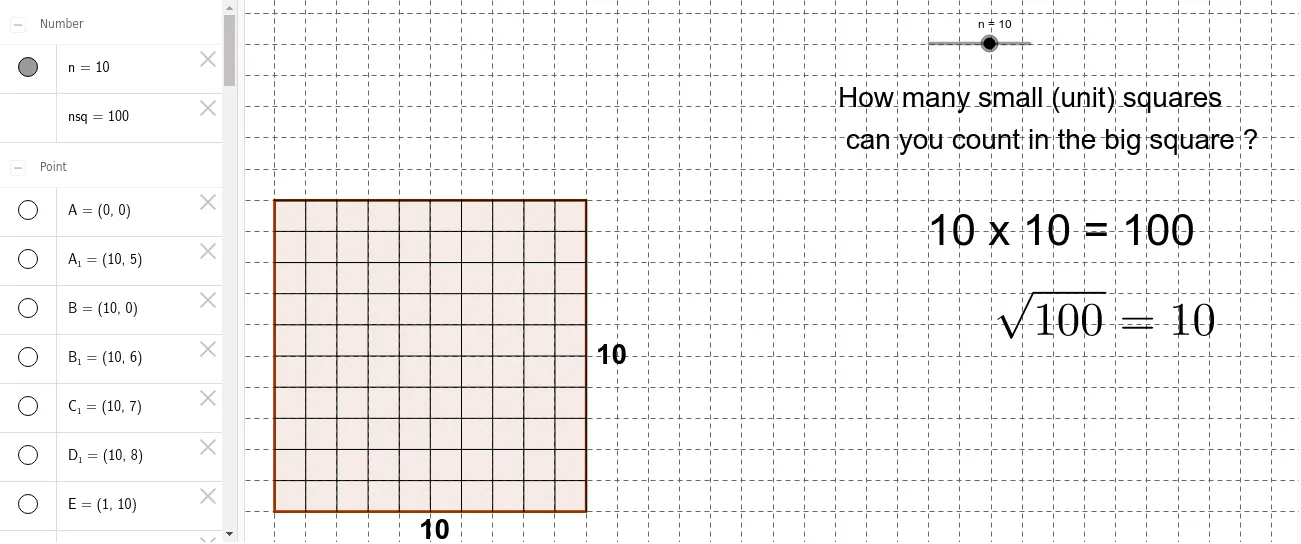
①本范例通过动态演示展示平方数的几何表示,将自然数n的平方nsq用正方形面积可视化;②涉及的核心数学概念包括数列、函数、几何作图、连续性;③作图要点——使用Polygon(多边形)、Point(点)、Segment(线段)等GeoGebra命令构建正方形,通过滑块n控制正方形边长,并绘制条形图展示平方数增长趋势;④适合初中及以上数学学习者,用于理解数形结合思想及平方数特性。
GeoGebra 命令及参数
Polygon(A, B, 4) → poly1, a, b, c, d, C, DPoint(Circle[A1, n]) → ESegment(A1, E) → ePoint(Circle[A2, n]) → FSegment(A2, F) → fPoint(Circle[A3, n]) → GSegment(A3, G) → gPoint(Circle[A4, n]) → HSegment(A4, H) → hPoint(Circle[A5, n]) → ISegment(A5, I) → iPoint(Circle[A6, n]) → JSegment(A6, J) → jPoint(Circle[A7, n]) → KSegment(A7, K) → kPoint(Circle[A8, n]) → LSegment(A8, L) → lPoint(Circle[A9, n]) → MSegment(A9, M) → mPoint(Circle[A10, n]) → NSegment(A10, N) → pPoint(Circle[A11, n]) → OSegment(A11, O) → qPoint(Circle[A12, n]) → PSegment(A12, P) → rPoint(Circle[A13, n]) → QSegment(A13, Q) → sPoint(Circle[A14, n]) → RSegment(A14, R) → tPoint(Circle[A15, n]) → SSegment(A15, S) → a_1Point(Circle[A16, n]) → TSegment(A16, T) → b_1Point(Circle[B1, n]) → USegment(B1, U) → c_1Point(Circle[B2, n]) → VSegment(B2, V) → d_1Point(Circle[B3, n]) → WSegment(B3, W) → e_1Point(Circle[B4, n]) → ZSegment(B4, Z) → f_1Point(Circle[B5, n]) → A_1Segment(B5, A_1) → g_1Point(Circle[B6, n]) → B_1Segment(B6, B_1) → h_1Point(Circle[B7, n]) → C_1Segment(B7, C_1) → i_1Point(Circle[B8, n]) → D_1Segment(B8, D_1) → j_1Point(Circle[B9, n]) → E_1Segment(B9, E_1) → k_1Point(Circle[B10, n]) → F_1Segment(B10, F_1) → l_1Point(Circle[B11, n]) → G_1Segment(B11, G_1) → m_1Point(Circle[B12, n]) → H_1Segment(B12, H_1) → n_1Point(Circle[B13, n]) → I_1Segment(B13, I_1) → p_1Point(Circle[B14, n]) → J_1Segment(B14, J_1) → q_1Point(Circle[B15, n]) → K_1Segment(B15, K_1) → r_1Point(Circle[B16, n]) → L_1Segment(B16, L_1) → s_1