
幂的读法与表达:正整数指数的口述纠错练习
几何画板及绘图内容加载中,请稍等……
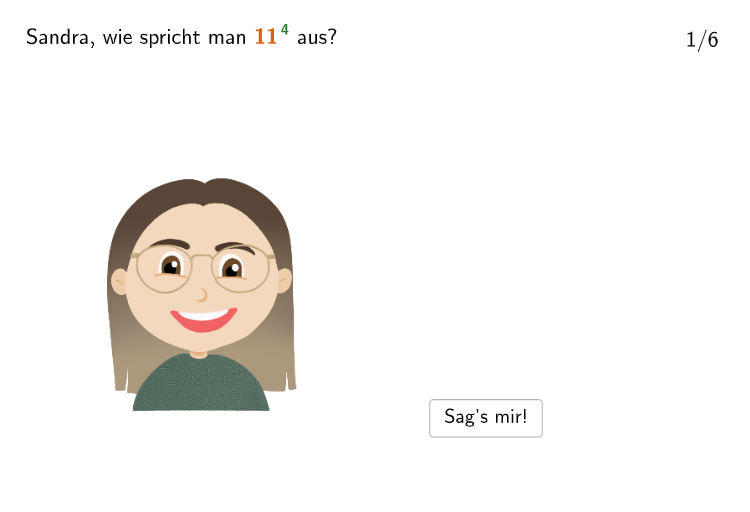
这个范例通过交互式界面,让学生练习并纠错“指数幂”的不同读法,例如把 7^4 误读后指出错误、再将 5^2、8^3 等进行多种表述辨析。核心数学概念是幂的意义:当指数为正整数时,a^n 表示“a 重复相乘 n 次”,并据此理解“x 次方/平方/立方/乘方”的表述差异;同时强调指数所处位置决定“读作几次方”,而不是将底数与指数混淆。作图与交互要点来自构造摘要:使用 Shuffle 随机生成底数与指数(randomNosForBasis、randomNosForExponent 以及其不重复版本),用 Textfield 和 Text(文本输入与显示题面/提示)呈现问题;通过 SpeechBubble 和 PBubble/ PBubble2 进行气泡式交流反馈;在对象层面包含 Basis、Exponent 以及多组输入框 input1/input2/input3 与 InputBox1~3;并用 questionCount、totalAttempts 统计题目数量与作答次数。适合七到八年级的运算与表达能力训练,也可用于课堂导入、分层练习或口述表述能力的形成性评价。
GeoGebra 命令及参数
Shuffle(Sequence[Random[1, 20], i, 1, 100]) → randomNosForBasis, {6, 11, 4, 11, 13, 20, 6, 17, 16, 14, 7, 17, 13, 5, 17, 15, 20, 15, 1, 8, 1, 18, 10, 9, 12, 20, 17, 2, 15, 10, 12, 11, 16, 3, 4, 12, 15, 1, 3, 7, 14, 14, 1, 15, 20, 20, 6, 15, 11, 8, 8, 1, 1, 20, 16, 20, 10, 7, 4, 19, 14, 18, 3, 11, 18, 20, 12, 6, 13, 17, 9, 17, 17, 3, 16, 5, 2, 15, 3, 6, 16, 6, 5, 15, 2, 15, 5, 1, 7, 2, 5, 5, 7, 2, 3, 1, 12, 15, 16, 6}Append(true, Sequence[If[randomNosForBasis(i) ≟ randomNosForBasis(i - 1), false, true], i, 2, 100]) → stayXShuffle(Sequence[Random[2, 9], i, 1, 100]) → randomNosForExponent, {6, 4, 5, 7, 4, 3, 9, 7, 4, 3, 8, 6, 6, 2, 7, 3, 5, 2, 2, 6, 9, 6, 5, 9, 4, 5, 6, 7, 4, 2, 3, 4, 6, 7, 5, 2, 5, 5, 3, 4, 2, 5, 9, 6, 2, 4, 6, 3, 9, 3, 3, 2, 3, 6, 7, 4, 2, 5, 7, 6, 4, 3, 5, 2, 5, 2, 5, 8, 8, 9, 6, 9, 7, 5, 3, 6, 2, 5, 8, 5, 2, 3, 8, 2, 2, 6, 9, 6, 5, 7, 9, 7, 9, 2, 9, 3, 6, 4, 2, 7}Append(true, Sequence[If[randomNosForExponent(i) ≟ randomNosForExponent(i - 1), false, true], i, 2, 100]) → stayYRemove(Sequence[If[stayX(i), randomNosForBasis(i), 0], i, 1, 100], Sequence[0, i, 1, 100]) → randomNosForBasiswithoutRepeatRemove(Sequence[If[stayY(i), randomNosForExponent(i), 0], i, 1, 100], Sequence[0, i, 1, 100]) → randomNosForExponentwithoutRepeatElement(randomNosForBasiswithoutRepeat, Mod[questionCount, Length[randomNosForBasiswithoutRepeat]] + 1) → BasisElement(randomNosForExponentwithoutRepeat, Mod[questionCount, Length[randomNosForExponentwithoutRepeat]] + 1) → ExponentTextfield(input1) → InputBox1Textfield(input2) → InputBox2Textfield(input3) → InputBox3SpeechBubbleLeft(PBubble, abs_{1}, 1.4) → poly1SpeechBubbleLeft(PBubble2, 6, 2) → poly2
AI 绘图提示语参考
创建一个交互式数学练习界面,显示随机的幂运算表达式(如5的2次方、8的3次方),界面包含显示底数和指数的数学公式区域、向学生提问"如何正确读出这个幂"的文字提示、用于输入答案的文本输入框,以及带反馈信息的对话气泡,用于显示正确答案或错误提示。
以上提示语为根据原始绘图命令整理而来,仅供参考。