
函数的正负区域可视化
几何画板及绘图内容加载中,请稍等……
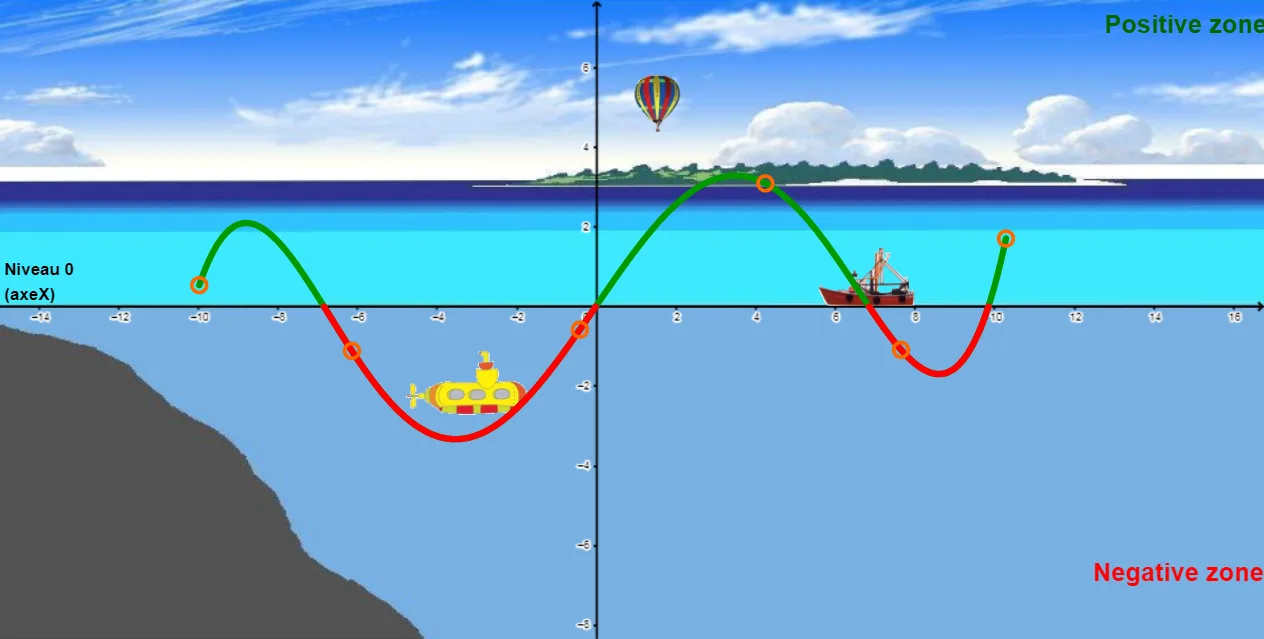
This example visually demonstrates the regions where a function takes positive and negative values across its domain. The core mathematical concepts include sign analysis of functions, zeros and intersection points, combinations of polynomial and trigonometric expressions, and the areas bounded by the function graph and the coordinate axes. The construction uses GeoGebra commands such as Polynomial to generate random polynomials, Random and Intersect to compute x-intercepts, and If conditions combined with Line and Textfield objects to color-code or annotate the positive and negative regions. Sliders or text fields allow dynamic parameter adjustment, updating the graph in real time. This resource is suitable for upper secondary or pre-university students to understand function sign changes, solution sets of inequalities, and the connection between graphical and algebraic representations, and can be used for classroom demonstrations or independent exploration.
GeoGebra 命令及参数
Polynomial(l1) → rRandom(-9, -1) → aaIntersect(xAxis, yAxis) → ALine(A, xAxis) → aRandom(2, 6) → bbTextfield(f) → ChampTexte1If(t < 12, ((-t), 0), (-24 + t, 0)) → IIf(t < 12, (((-t)) / 6, 4.5 + t / 40), (-5 + t / 6, 4.5 + t / 40)) → BIf(t < 12, (-2 + t / 2, -3 - t / 20), (4 + (12 - t) / 2, -3 - t / 20)) → C
AI 绘图提示语参考
请绘制一个展示函数在定义域内正负区域的图形。先画出坐标轴,并给出一条由多项式与三角表达式构成的函数曲线;在图上计算并标示与 x 轴的交点,用它们划分符号变化的区间。随后在图中加入两条用于辅助分割的水平直线与两端取值标注(对应曲线在不同参数条件下的边界),并在这些区间内用条件分段方式生成若干关键点,连成相应线段或边界。再用文字输入框显示函数表达式,同时通过不同颜色/标注区分曲线高于与低于 x 轴的区域。提供一个参数滑动量,用于实时更新图形与标注。
以上提示语为根据原始绘图命令整理而来,仅供参考。