
向量方程游戏
几何画板及绘图内容加载中,请稍等……
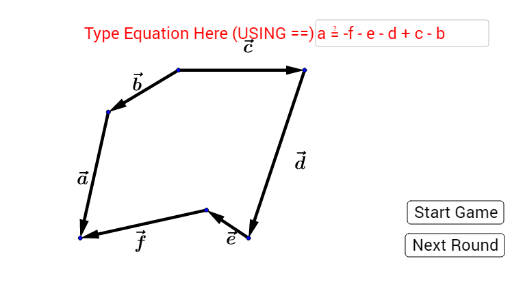
本范例通过游戏形式演示向量方程。核心数学概念包括向量、三角函数和解析几何。使用了If, Textfield, Rand等GeoGebra命令进行向量的随机生成和显示。适合高中数学教学和学习向量方程。
GeoGebra 命令及参数
If(Element[Rand, 4] ≟ 0, Vector[D, E], Vector[E, D]) → dIf(Element[Rand, 3] ≟ 0, Vector[C, D], Vector[D, C]) → cIf(Element[Rand, 2] ≟ 0, Vector[B, C], Vector[C, B]) → bIf(Element[Rand, 1] ≟ 0, Vector[A, B], Vector[B, A]) → aIf(Element[Rand, 6] ≟ 0, Vector[F, A], Vector[A, F]) → fIf(Element[Rand, 5] ≟ 0, Vector[E, F], Vector[F, E]) → eTextfield(Ans) → InputBox1If(Next ≟ 1, If[Ans ≟ true, "Correct", "Incorrect"], "") → Answer