
理解概率规则
几何画板及绘图内容加载中,请稍等……
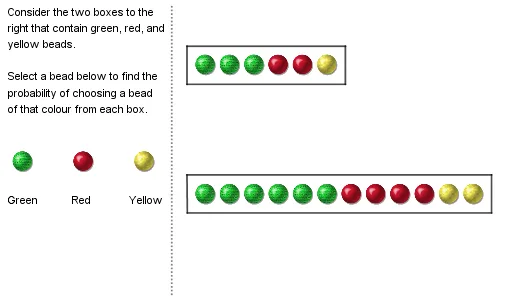
①本范例演示了概率规则的基本概念和图形表示;②涉及的核心数学概念包括概率、对称性、体积计算和黎曼和;③作图要点使用了GeoGebra的Segment、Polygon、Circle、Text、Vector等命令和对象;④适合大学心理学或统计学入门课程教学。
GeoGebra 命令及参数
Segment((3, 0), (19, 0)) → lightsep2Polygon(G, H, I, J) → q1, g, h, i, jPolygon(G_1, H_1, I_1, J_1) → q1_1, g_1, h_1, i_1, j_1Circle(PC1, 0.4) → circout1Circle(PC2, 0.4) → circout2Circle(PC3, 0.4) → circout3Text("startingcolor") → VarColorText("The chances of drawing a " + VarColor + " bead are...") → text2Vector(P1_1, P1_2) → uVector(P2_1, P2_2) → vVector(P3_1, P3_2) → wVector(P4_1, P4_2) → aVector(P5_1, P5_2) → bVector(P6_1, P6_2) → cVector(P7_1, P7_2) → dVector(P8_1, P8_2) → eVector(P9_1, P9_2) → fVector(P10_1, P10_2) → kVector(P11_1, P11_2) → lVector(P12_1, P12_2) → mVector(P1_3, P1_4) → nVector(P2_4, P2_3) → pVector(P3_4, P3_3) → qVector(P4_4, P4_3) → rVector(P5_4, P5_3) → sVector(P6_4, P6_3) → tSegment((8.5, 6.5), (8.5, -3)) → lightsep