
正方形对齐
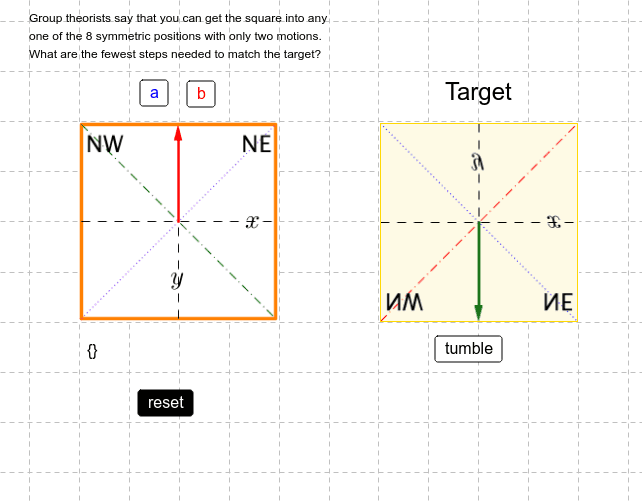
几何画板及绘图内容加载中,请稍等……
①本范例演示正方形在不同变换下的对齐与对称性;②涉及核心数学概念包括向量、多边形构造、旋转对称、解析几何;③作图要点:使用Vector、Segment、PolyLine、Polygon、Random、Rotate等GeoGebra命令构建图形,并通过旋转实现动态对齐;④适合高中数学学生用于理解变换与对称性,以及作为几何作图的实践案例。
GeoGebra 命令及参数
Vector(A, B) → uSegment(C, D) → aSegment(E, B) → bSegment(F, G) → cSegment(H, I) → dPolyLine(F, I, G, H, F) → ePolygon(F, I, G, H) → poly1, f, i, g, hRandom(0, 3) → turnsRandom(0, 1) → flipsRotate(N, ((turns * 90))°, M) → N_0Rotate(O, ((turns * 90))°, M) → O_0Rotate(R, ((turns * 90))°, M) → R_0Rotate(Mirror[N, y = y(M)], ((turns * 90))°, M) → N_1Rotate(Mirror[O, y = y(M)], ((turns * 90))°, M) → O_1Rotate(Mirror[R, y = y(M)], ((turns * 90))°, M) → R_1