
通过变换求解线性方程
几何画板及绘图内容加载中,请稍等……
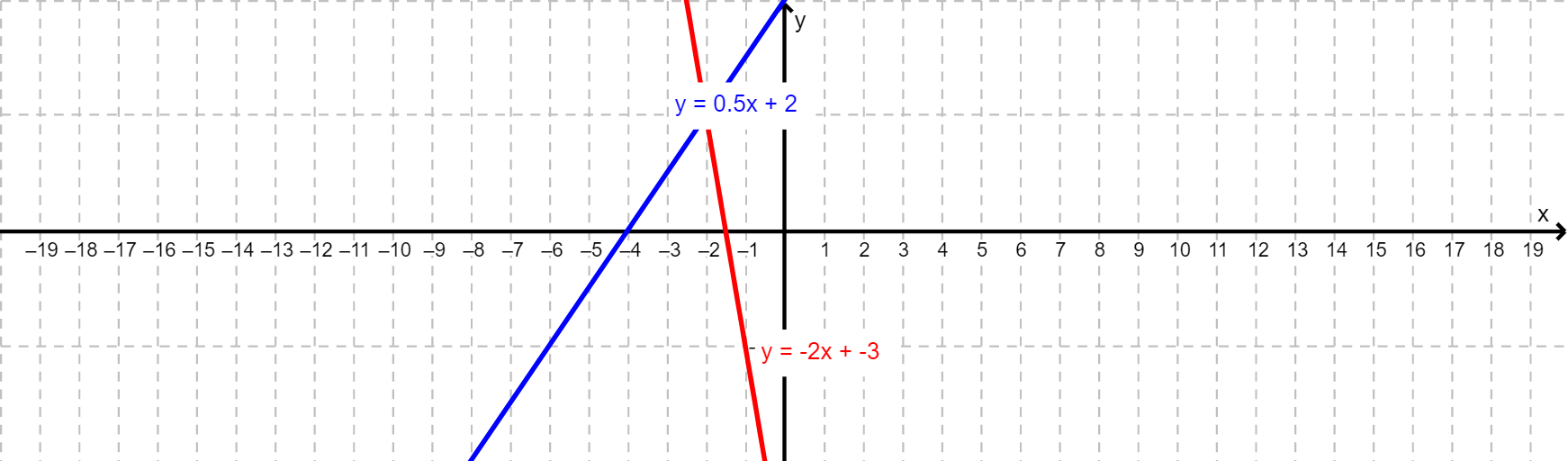
本范例演示如何通过图形变换直观理解线性方程组的解法。涉及的核心数学概念包括线性方程、变换、交点求解。作图要点使用了GeoGebra的Textfield、Intersect、Step、m_2、b_1、m_1、b_2、inputBoxm_1、inputBoxb_1、inputBoxm_2、inputBoxb_2、Transform_5、NoSolution、equalsX、AnyReal、Transform_1、Space、Comma、reset、Yzoom、Xzoom、Transform_3、Transform_2、trans5、Transform_4、trans1、trans3、trans2、trans4、f1、f2、fa、c、F1x、F1y、F1x_1、F1y_1、F2x、F2x_1、F2y、F2y_1、Fax等命令和对象。适合高中数学教学和自主学习,帮助理解线性方程组的几何意义和解法步骤。
GeoGebra 命令及参数
Textfield(m_1) → inputBoxm_1Textfield(b_1) → inputBoxb_1Textfield(m_2) → inputBoxm_2Textfield(b_2) → inputBoxb_2Intersect(f1, x = (0.7 * Xzoom), (14, 9)) → F1xIntersect(f1, y = (0.7 * Yzoom), (-1.2000000000000002, 1.4)) → F1yIntersect(f1, x = (-0.7 * Xzoom), (-14, -5)) → F1x_1Intersect(f1, y = (-0.7 * Yzoom), (-6.8, -1.4)) → F1y_1Intersect(f2, x = (0.7 * Xzoom), (14, -31)) → F2xIntersect(f2, x = (-0.7 * Xzoom), (-14, 25)) → F2x_1Intersect(f2, y = (0.7 * Yzoom), (-2.2, 1.4)) → F2yIntersect(f2, y = (-0.7 * Yzoom), (-0.8, -1.4)) → F2y_1Intersect(fa, x = (0.7 * Xzoom), (14, 9)) → FaxIntersect(fa, x = (-0.7 * Xzoom), (-14, -5)) → Fax_1Intersect(fa, y = (0.7 * Yzoom), (-1.2000000000000002, 1.4)) → FayIntersect(fa, y = (-0.7 * Yzoom), (-6.8, -1.4)) → Fay_1