
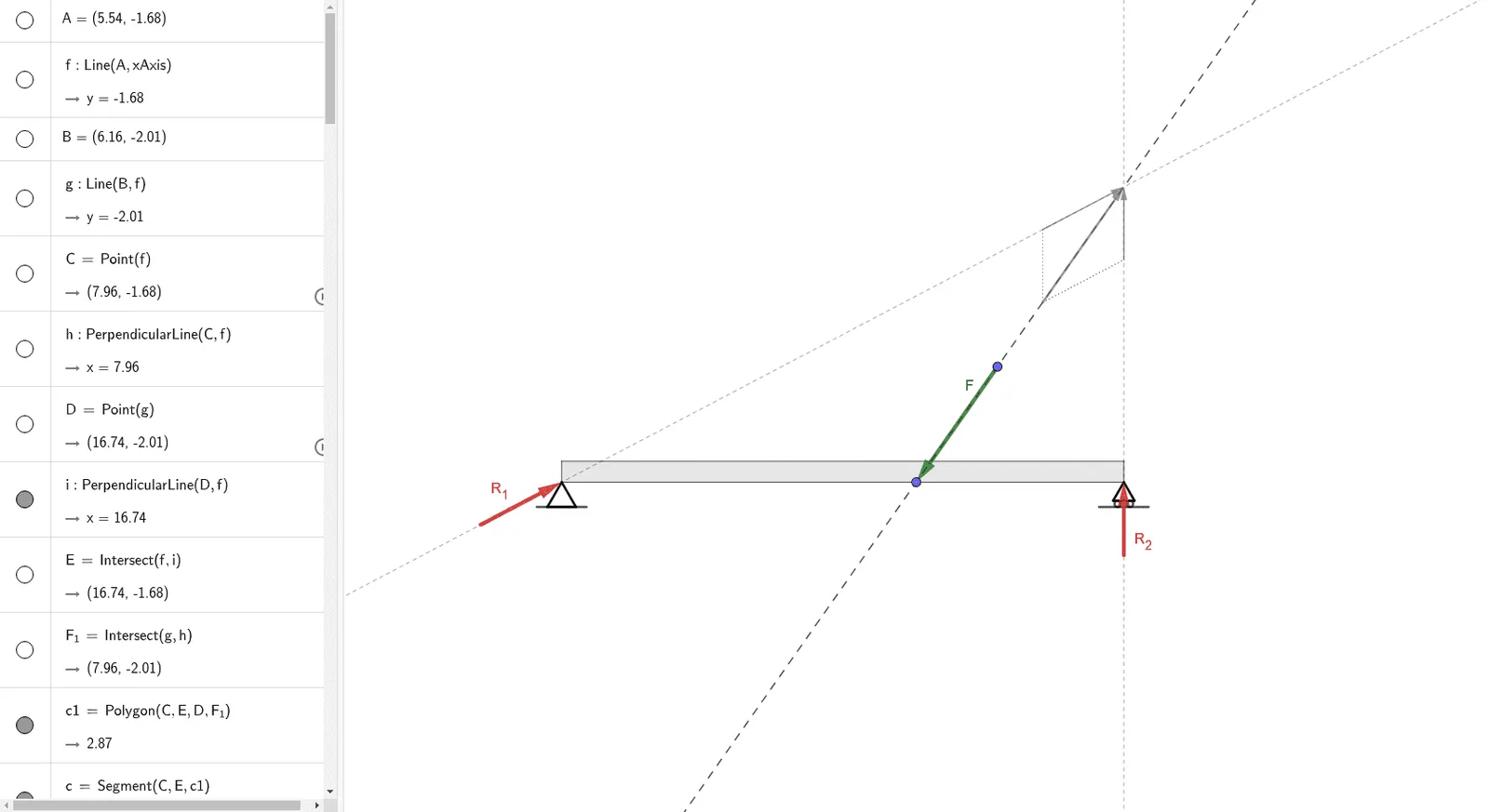
简支梁斜向受力反力分析
几何画板及绘图内容加载中,请稍等……
本范例演示简支梁在斜向力作用下的反力计算与图形表示。涉及的核心数学概念包括力的分解与合成、向量运算、几何作图等。作图要点:利用 GeoGebra 命令 Line(线)、Point(点)、OrthogonalLine(垂线)、Intersect(交点)、Polygon(多边形)、Rotate(旋转)、Circle(圆)、Segment(线段)、Ray(射线)、Midpoint(中点)、Mirror(镜像)、Vector(向量)、Translate(平移)等完成反力分析与图形构建。适合高中及以上学生及工程技术人员学习力学与几何作图方法。
GeoGebra 命令及参数
Line(A, xAxis) → fLine(B, f) → gPoint(f) → COrthogonalLine(C, f) → hPoint(g) → DOrthogonalLine(D, f) → iIntersect(f, i) → EIntersect(g, h) → F_1Polygon(C, E, D, F_1) → c1, c, e, d, f_1Line(G, g) → jRotate(g, -60°, F_1) → g'Intersect(j, g') → HPolygon(H, F_1, 3) → polígono1, k, l, m, IIntersect(h, j) → JCircle(J, F_1) → pIntersect(p, j, 1) → KIntersect(p, j, 2) → LSegment(K, L) → nIntersect(i, j) → MRay(D, M) → qRotate(D, 30°, D) → D'Rotate(M, 30°, D) → M'Ray(D', M') → q'Line(N, j) → rIntersect(i, r) → OMidpoint(O, M) → PLine(P, j) → sIntersect(s, q') → RMidpoint(P, R) → SCircle(S, Distance[O, P]) → tIntersect(r, q') → TPolygon(T, D, 3) → polígono2, a, b, g_1, UMirror(t, q) → t'Point(d) → VVector(W, V) → FLine(V, W) → h_1Intersect(i, h_1) → ZLine(F_1, Z) → i_1Vector(F_1, D') → vTranslate(K, v) → K'Translate(L, v) → L'Segment(K', L') → n'Translate(Z, F) → Z'Line(Z', i) → j_1Line(Z', i_1) → k_1Intersect(i_1, j_1) → A_1Segment(A_1, Z') → l_1Intersect(i, k_1) → B_1Segment(Z', B_1) → m_1Vector(A_1, Z) → wVector(B_1, Z) → u_1Vector(Z, D') → v_1Vector(Z, F_1) → w_1Vector(Z, A_1) → a_1Vector(Z, B_1) → b_1Translate(F_1, a_1) → QVector(F_1, Q) → c_1Translate(D, b_1) → D'_1Vector(D, D'_1) → d_1Vector(Q, F_1) → R_1Vector(D'_1, D) → R_2Vector(Z', Z) → u