
共轭圆锥曲线族
几何画板及绘图内容加载中,请稍等……
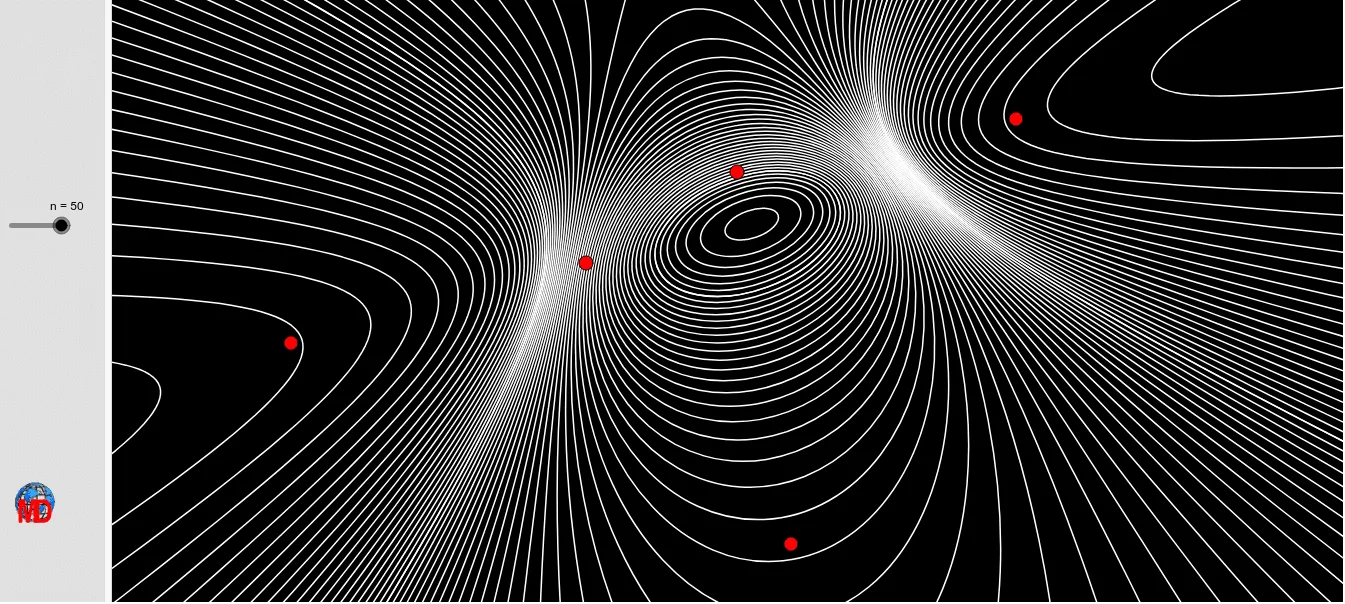
该范例展示了共轭圆锥曲线族的动态变化。它涉及圆锥曲线的基本概念,如椭圆和双曲线。通过使用GeoGebra命令如Hyperbola、Coefficients、Ellipse、Sequence等,可以构造一系列共轭圆锥曲线。适合高中数学教学和学习,特别是解析几何和微积分课程。
GeoGebra 命令及参数
Hyperbola(A, B, F) → dCoefficients(d) → liste2Ellipse(E, D, C) → cCoefficients(c) → liste1Sequence((1000 * ((Element[liste1, 1] * x^(2)) + ((Element[liste1, 4] * x) * y) + (Element[liste1, 2] * y^(2)) + (Element[liste1, 5] * x) + (Element[liste1, 6] * y) + Element[liste1, 3])) + (t * ((Element[liste2, 1] * x^(2)) + ((Element[liste2, 4] * x) * y) + (Element[liste2, 2] * y^(2)) + (Element[liste2, 5] * x) + (Element[liste2, 6] * y) + Element[liste2, 3])) = 0, t, -1000, 1000, n) → liste4Sequence((t * ((Element[liste1, 1] * x^(2)) + ((Element[liste1, 4] * x) * y) + (Element[liste1, 2] * y^(2)) + (Element[liste1, 5] * x) + (Element[liste1, 6] * y) + Element[liste1, 3])) + (1000 * ((Element[liste2, 1] * x^(2)) + ((Element[liste2, 4] * x) * y) + (Element[liste2, 2] * y^(2)) + (Element[liste2, 5] * x) + (Element[liste2, 6] * y) + Element[liste2, 3])) = 0, t, -1000, 1000, n) → liste3
AI 绘图提示语参考
绘制一系列共轭圆锥曲线,首先画出一个双曲线,然后通过系数提取其参数,接着画出一个椭圆,同样提取其参数。利用这些参数,构造一系列共轭圆锥曲线,通过调整参数 t 的值,从 -1000 到 1000,生成一系列变化的共轭圆锥曲线。
以上提示语为根据原始绘图命令整理而来,仅供参考。