
旋转正方形镶嵌
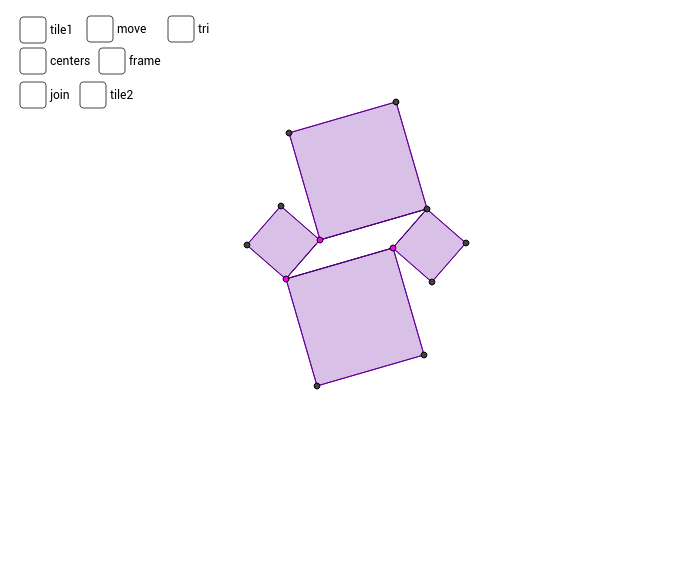
几何画板及绘图内容加载中,请稍等……
①本范例演示了通过旋转正方形生成的动态镶嵌图案;②涉及的核心数学概念包括正方形构造、旋转变换、三角函数(正弦函数)应用、解析几何中的点线关系;③作图要点提炼自构造摘要,使用了Segment(线段)、Line(直线)、Intersect(交点)、Polygon(多边形)、Midpoint(中点)、Vector(向量)、Sequence(数列)、Rotate(旋转)、OrthogonalLine(垂线)等GeoGebra命令与对象;④适合高中数学学生用于理解几何变换、函数图像与实际图形结合的动态过程,也可用于数学建模初体验。
GeoGebra 命令及参数
Segment(A, B) → a_2Segment(A, C) → b_2Line(B, b_2) → c_2Line(C, a_2) → d_2Intersect(c_2, d_2) → DSegment(C, D) → e_2Segment(B, D) → fPolygon(A, C, 4) → poly1, g, h, i, j, E, FPolygon(C, D, 4) → poly2, k, l, m, n, G, HPolygon(D, B, 4) → poly3, p, q, r, s, I, JPolygon(B, A, 4) → poly4, t, a_1, b_1, c_1, K, LMidpoint(F, C) → MMidpoint(G, C) → NMidpoint(J, B) → OMidpoint(K, B) → PVector(E, L) → uVector(K, J) → vSequence(Sequence[Translate[tile1, Vector[(n * u) + (m * v)]], n, -3, 3], m, -3, 3) → list1Polygon(P, O, 4) → poly5, d_1, e_1, f_1, g_1, Q, RRotate(poly5, 90*°, O) → poly5'Rotate(poly5, 180*°, O) → poly5'_1Rotate(poly5, 270*°, O) → poly5'_2OrthogonalLine(M, b_2) → h_1OrthogonalLine(P, a_2) → i_1Intersect(i_1, h_1) → SSegment(M, S) → aSegment(P, S) → bOrthogonalLine(N, e_2) → l_1OrthogonalLine(O, f) → m_1Intersect(l_1, m_1) → TSegment(N, T) → cSegment(O, T) → dSegment(S, T) → eRotate(set1, 90*°, O) → set2Rotate(set1, 180*°, O) → set3Rotate(set1, 270*°, O) → set4Sequence(Sequence[Translate[tile2, Vector[(n * u) + (m * v)]], n, -3, 3], m, -3, 3) → list2Polygon(E, A, L) → poly6, l_2, e_3, a_3Polygon(B, K, J) → poly7, j_2, b_3, k_2