
对数方程转指数方程演示
几何画板及绘图内容加载中,请稍等……
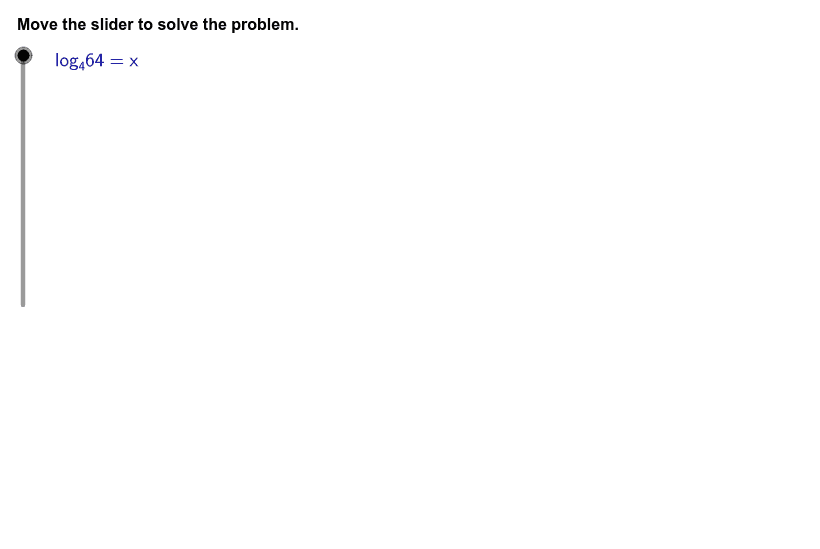
① 本范例演示如何将对数方程 $\log_4 64 = x$ 转换为等价的指数方程 $4^x = 64$。② 涉及的核心数学概念包括对数的定义、指数与对数的互换关系、底数、指数与幂的表示。③ 作图要点:使用 GeoGebra 的 LaTeX 命令渲染数学公式,配合 Line、button1、button2 等交互对象实现分步展示;通过 stepper、steps、counter 等对象控制动画步进,screenwidth、screenheight、indent、align* 等布局参数保证界面整齐。④ 适合高中数学(必修/选修)对数与指数函数章节的课堂演示或自主探究,也可用于教师备课制作课件。
GeoGebra 命令及参数
Line((x(Corner[1]) + (indent * screenwidth), 0), yAxis) → align1Line((0, y(Corner[4]) - (indent * screenheight)), xAxis) → alignTopLine((x(Corner[1]) + ((2 * indent) * screenwidth), 0), yAxis) → align2Line((x(Corner[1]) + ((3 * indent) * screenwidth), 0), yAxis) → align3Line((x(Corner[1]) + ((4 * indent) * screenwidth), 0), yAxis) → align4Line((x(Corner[1]) + ((5 * indent) * screenwidth), 0), yAxis) → align5LaTeX((((((("\text{log}_{" * base) * "}{ ") * power) * "}={") * exponent) * "}")) → logeqnLaTeX("\text{Define each part of the given equation in terms of the base, the} \cr \text{exponent, and the quantity that results when the base is raised to} \cr \text{the exponent.}") → text1LaTeX("y = b^x") → eqnLaTeX((((((("{" * base) * "}^{") * exponent) * "}={") * power) * "}")) → anseqnLaTeX((((("\text{Thus, }\textcolor{#000099}{" * logeqn) * "}\text{ written as an exponential equation is }\textcolor{#000099}{") * anseqn) * "}\text{.}")) → text5LaTeX((((((((("\text{In the equation }\textcolor{#000099}{" * logeqn) * "}\text{, the base is }\textcolor{#000099}{") * base) * "}\text{, the exponent is }\textcolor{#000099}{") * exponent) * "}\text{, and the} \cr \text{number is }\textcolor{#000099}{") * power) * "}\text{.}")) → text2LaTeX((("\text{Rewrite the logarithmic equation in the form }\textcolor{#000099}{" * eqn) * "}\text{.}")) → text3LaTeX((("\textcolor{#000099}{" * logeqn) * "}")) → ProblemLaTeX((("\text{The general form of an exponential equation is }\textcolor{#000099}{" * eqn) * "}\text{, where }\textcolor{#000099}\text{x}\text{ is the}\cr \text{exponent,}\textcolor{#000099}\text{ b}\text{ is the base, and}\textcolor{#000099}\text{ y}\text{ is the result of }\textcolor{#000099}\text{b}\text{ raised to the power of }\textcolor{#000099}\text{x}\text{.}\cr \text{Substitute each of the identified terms into the general form.}")) → text4
AI 绘图提示语参考
绘制一个界面,顶部有一条水平线,下面是五条垂直线将区域分成六栏。左侧显示对数方程 log_4 64 = x,右侧依次展示一般指数形式 y = b^x、具体指数方程 4^x = 64,并附有解释性文字,标注底、数值和结果。界面中央可放置滑块用于调整底、数值和指数,动态演示转换过程。
以上提示语为根据原始绘图命令整理而来,仅供参考。