
联合概率函数演示
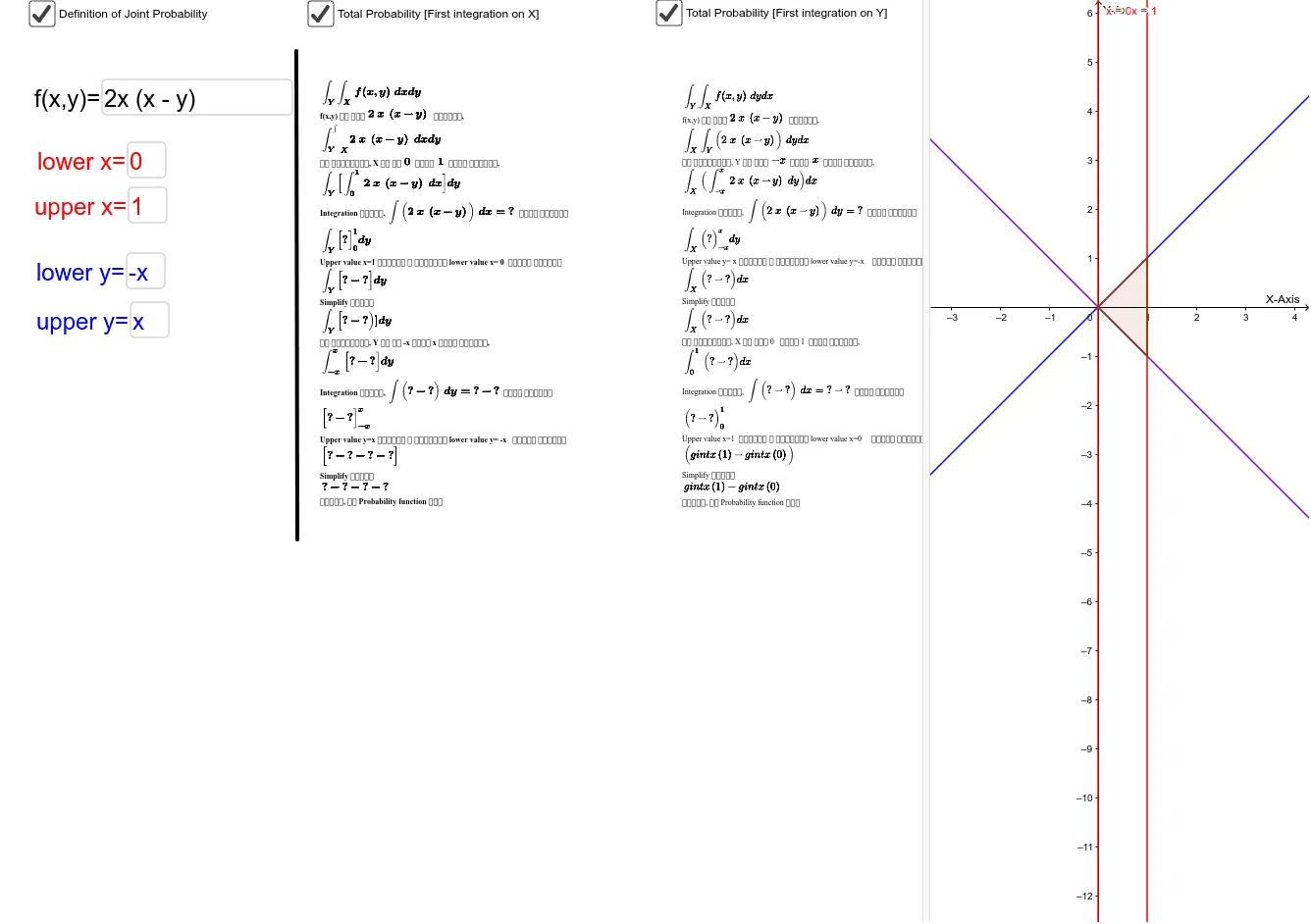
几何画板及绘图内容加载中,请稍等……
①本范例演示了二维联合概率分布的图形化表示与计算;②涉及核心数学概念包括概率论中的联合概率密度函数、积分计算、指数函数、平面图形与相似三角形;③通过 GeoGebra 命令 Simplify(化简)、Integral(积分)、Textfield(文本框)、Intersect(交点)、Polygon(多边形)、Segment(线段)等实现函数绘制、区域计算与交互式展示;④适合高中及以上学生及概率统计教学使用。
GeoGebra 命令及参数
Simplify(Integral[f, y]) → fintysimplifyIntegral(f, y) → fintySimplify(gvalue) → gIntegral(g, xlower, xupper) → totalintegralyxTextfield(f) → inputBox2Textfield(upper) → inputBox3Textfield(lower) → inputBox4Textfield(xlower) → inputBox5Textfield(xupper) → inputBox6Integral(f, x) → fintxSimplify(Integral[f, x]) → fintxsimplifySimplify(f) → fsimplifySimplify(hvalue) → hIntegral(h, y) → hintySimplify(hintyvalue) → hintytotIntersect(upper, i, 1) → AIntersect(upper, j, 1) → BIntersect(lower, j, 1) → CIntersect(lower, i, 1) → DPolygon(A, D, C, B) → poly1, a_1, d, c, b_1Segment(E, F) → segmentIntegral(h, x) → hintxSimplify(Integral[g, x]) → gintxSimplify(gintxvalue) → gintxtot