
法国企业责任标志的几何构造
几何画板及绘图内容加载中,请稍等……
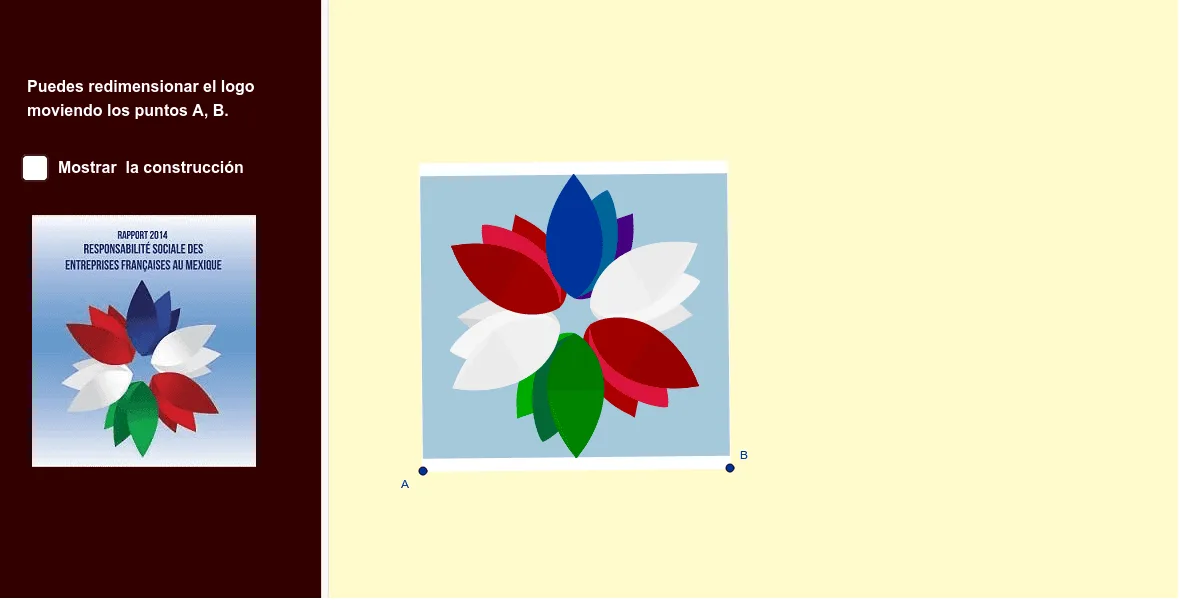
该范例演示了如何利用几何变换与函数曲线构造一个企业责任标志图形,将抽象的品牌符号转化为精确的数学绘图。核心数学概念包括二维向量、旋转、平移、对称、三角形与菱形性质、中线、双曲线以及参数曲线。作图要点涉及GeoGebra中的Line、OrthogonalLine、LineBisector、Vector、OrthogonalVector、Mirror、Intersect、Rotate、Midpoint、Polygon、Circle、CurveCartesian、CircleArc等命令,通过构造点A、B、s、b、m、u、v、I、h、C、d、h'、N、B_1、O、E、C_1、E_1、O'、O''、O'''、G、G'、q_2、N'_1、p_2、V、W、a、R、Q、A_2、K、K'、K''、K'''、P、P'、T、S等对象,综合运用几何关系与代数曲线实现标志的对称与层次。适合高中及以上学段学习几何变换、向量运算与函数图像的综合应用,也可作为数学与设计结合的跨学科教学案例。
GeoGebra 命令及参数
Line(A, B) → sOrthogonalLine(A, s) → bLineBisector(A, B) → mVector(A, B) → uOrthogonalVector(u) → vOrthogonalLine(I, b) → hLineBisector(A, C) → dMirror(h, d) → h'Intersect(m, h') → NIntersect(m, d) → ERotate(B_1, (-(20°)), E) → C_1Rotate(C_1, (-(20°)), E) → E_1Rotate(O, (-(15°)), E) → O'Rotate(O', (-(60°)), E) → O''Rotate(O'', (-(60°)), E) → O'''Rotate(O''', (-(60°)), E) → GRotate(G, (-(60°)), E) → G'OrthogonalLine(G', b) → q_2Rotate(N, (-(60°)), E) → N'_1LineBisector(E_1, N'_1) → p_2OrthogonalLine(V, s) → aRotate(A_2, (-(30°)), E) → KRotate(K, (-(60°)), E) → K'Rotate(K', (-(60°)), E) → K''Rotate(K'', (-(60°)), E) → K'''Rotate(K''', (-(60°)), E) → PRotate(P, (-(60°)), E) → P'Intersect(h, m) → SOrthogonalLine(C, v, xOyPlane) → fIntersect(f, m) → UMidpoint(C, A) → JOrthogonalLine(M, d) → iMirror(i, m) → i'OrthogonalLine(B, u, xOyPlane) → gIntersect(g, f) → DMirror(M, m) → M'Midpoint(E, M') → LIntersect(g, h') → A_1Polygon(A, B, D, C) → q11, a_3, b_2, d_2, c_3Circle(E, N) → cCircle(E, O) → kOrthogonalLine(F, b) → jOrthogonalLine(V, a) → eRotate(N, 60°, E) → N'Rotate(N', 60°, E) → N''Rotate(N'', 60°, E) → N'''Rotate(N'_1, (-(60°)), E) → J_1Circle(E, A_2) → pRotate(G', (-(60°)), E) → G''CurveCartesian(((1 - t)^(4) * N) + (((4 * (1 - t)^(3)) * t) * Q) + (((6 * (1 - t)^(2)) * t^(2)) * T) + (((4 * (1 - t)) * t^(3)) * R) + (t^(4) * W), t, 0, 1) → nMirror(n, m) → n'Rotate(n, (-(60°)), E) → n'_1Rotate(n', (-(60°)), E) → n''Rotate(n'_1, (-(60°)), E) → lRotate(n'', (-(60°)), E) → n'''Rotate(l, (-(60°)), E) → l'Rotate(n''', (-(60°)), E) → qRotate(q, (-(60°)), E) → q'Rotate(l', (-(60°)), E) → l''Mirror(q', d) → q''Mirror(l'', d) → l'''CurveCartesian(((1 - t)^(4) * O') + (((4 * (1 - t)^(3)) * t) * Q') + (((6 * (1 - t)^(2)) * t^(2)) * T') + (((4 * (1 - t)) * t^(3)) * R') + (t^(4) * W), t, 0, 1) → rLine(O', W) → tMirror(r, t) → r'Rotate(r, (-(60°)), E) → r'_1Rotate(r', (-(60°)), E) → r''Rotate(r'_1, (-(60°)), E) → wRotate(r'', (-(60°)), E) → r'''Rotate(r''', (-(60°)), E) → a_1Rotate(w, (-(60°)), E) → w'Rotate(a_1, (-(60°)), E) → b_1Rotate(w', (-(60°)), E) → w''Rotate(w'', (-(60°)), E) → w'''Rotate(b_1, (-(60°)), E) → c_1CurveCartesian(((1 - t)^(4) * K) + (((4 * (1 - t)^(3)) * t) * Q'_1) + (((6 * (1 - t)^(2)) * t^(2)) * T'_1) + (((4 * (1 - t)) * t^(3)) * R'_1) + (t^(4) * W), t, 0, 1) → d_1Line(K, W) → f_1Mirror(d_1, f_1) → e_1Rotate(d_1, (-(60°)), E) → g_1Rotate(g_1, (-(60°)), E) → h_1Rotate(h_1, (-(60°)), E) → i_1Rotate(i_1, (-(60°)), E) → j_1Rotate(j_1, (-(60°)), E) → k_1Rotate(e_1, (-(60°)), E) → l_1Rotate(l_1, (-(60°)), E) → m_1Rotate(m_1, (-(60°)), E) → n_1Rotate(n_1, (-(60°)), E) → o_1Rotate(o_1, (-(60°)), E) → p_1Intersect(h', b) → ZMirror(I, m) → I'Polygon(Z, I, I', A_1) → q1, z_1, i_2, q_1, r_1Circle(E, B_1) → s_1Rotate(E_1, (-(40°)), E) → F_1Rotate(F_1, (-(20°)), E) → G_1Rotate(G_1, (-(40°)), E) → H_1Rotate(H_1, (-(60°)), E) → I_1Rotate(I_1, (-(60°)), E) → K_1Rotate(K_1, (-(60°)), E) → L_1Rotate(G_1, (-(60°)), E) → M_1Rotate(M_1, (-(60°)), E) → N_1Rotate(N_1, (-(60°)), E) → O_1Rotate(O_1, (-(60°)), E) → P_1Polygon(N', O_1, L_1) → t1, t_1, f_2, g_2Mirror(N', E) → N''_1Mirror(O_1, E) → Q_1Mirror(L_1, E) → R_1Polygon(N''_1, Q_1, R_1) → t1', h_2, n''_1, j_2Rotate(W, (-(60°)), E) → W'Rotate(W, (-(120°)), E) → W'_1Rotate(W', (-(120°)), E) → W''Rotate(W', (-(180°)), E) → W''_1Rotate(W''_1, (-(60°)), E) → S_1Polygon(E_1, F_1, N'_1) → t2, k_2, l_2, m_2Mirror(E_1, E) → T_1Mirror(F_1, E) → U_1Mirror(N'_1, E) → V_1Intersect(p_2, q_2) → W_1Polygon(T_1, U_1, V_1) → t2', v_1, n_2, u_1CircleArc(W_1, N'_1, E_1) → c_2LineBisector(E_1, F_1) → r_2Mirror(c_2, r_2) → e_2Mirror(c_2, E) → s_2Mirror(e_2, E) → t_2Mirror(c_2, m) → d_3Mirror(e_2, m) → e_3Mirror(d_3, E) → f_3Mirror(e_3, E) → g_3Polygon(I_1, M_1, S) → t3, s_3, a_2, h_3Rotate(g_3, (-(60°)), E) → k_3Mirror(k_3, m) → p_3
AI 绘图提示语参考
绘制一个对称的几何标志:先画一条水平基准线,过其左端点作垂线,再作两端点的中垂线。以中垂线与垂线的交点为旋转中心,将若干点按逆时针方向依次旋转20度、60度等角度,形成多层对称结构。连接关键点构成一个菱形,并以其中心为圆心画两个同心圆。从菱形顶点向基准线作垂线,与另一条斜线相交,得到交点。再通过旋转复制这些交点,形成环绕中心的多组对称点。最后用曲线连接部分点,形成双曲线状的弧线,整体呈现对称、层叠的几何图案。
以上提示语为根据原始绘图命令整理而来,仅供参考。