
x轴上下方面积进一步探究
几何画板及绘图内容加载中,请稍等……
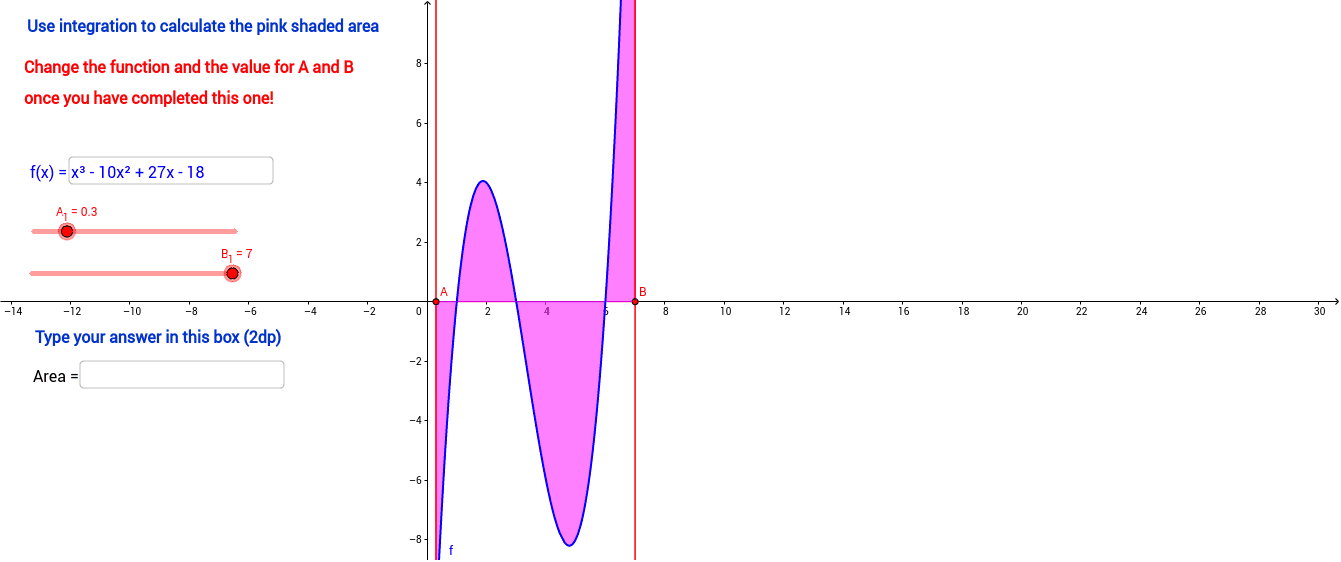
该范例演示了如何通过函数图像分析x轴上方和下方的面积。核心数学概念包括函数、积分和区间。通过使用GeoGebra命令如Integral、Intersect等,可以动态调整函数参数,观察面积变化。适合高中数学教学和学习。
GeoGebra 命令及参数
Text("Correct") → text1Textfield(text4) → InputBox1If(Textfield[] ≟ "", 0, 1) → aText("Incorrect") → text2Textfield(f) → InputBox2Integral(fneg, A_1, B_1) → IntnegIntegral(fpos, A_1, B_1) → IntposIntegral(f, A_1, B_1) → IntABIntersect(g, xAxis) → AIntersect(h, xAxis) → BText(AreaAB) → text3If(text4 ≟ "", 0, If[text4 ≟ text3, 1, 2]) → bText("Use integration to calculate the pink shaded area") → text6Text("Type your answer in this box (2dp)") → text5Text("Change the function and the value for A and B") → text7Text("once you have completed this one!") → text8