
函数定义域示例
几何画板及绘图内容加载中,请稍等……
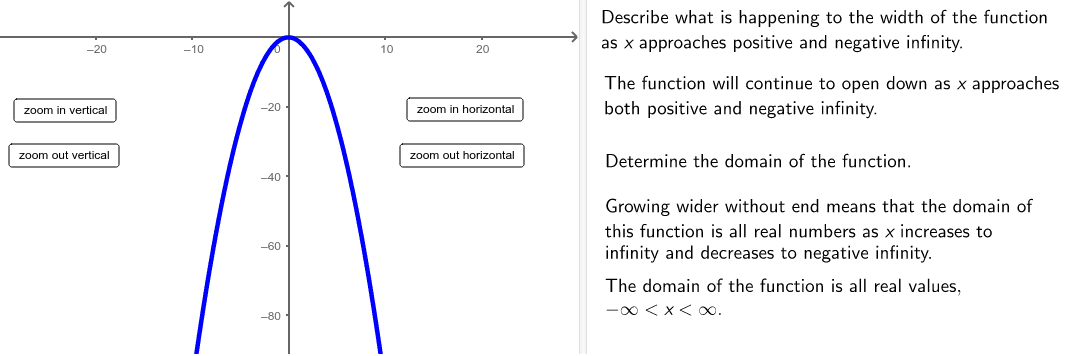
本示例演示如何描述给定函数的定义域。涉及的核心数学概念包括函数、根、积分等。通过使用GeoGebra命令如Polygon、Line、Point等进行构造。适合高中及以上学生或教师使用。
GeoGebra 命令及参数
Polygon((instructionEdge, y(Corner[1])), (instructionEdge, y(Corner[3])), Corner[4], Corner[1]) → mask, e, g, h, iLine((x(Corner[1]) + ((2 * indent) * screenwidth), 0), yAxis) → align1Line((x(Corner[1]) + ((3 * indent) * screenwidth), 0), yAxis) → align2Line((x(Corner[1]) + ((4 * indent) * screenwidth), 0), yAxis) → align3Point(e) → APoint(e) → BLine(A, B) → bPolygon((edge, y(Corner[1])), Corner[2], Corner[3], (edge, y(Corner[4]))) → poly1, c, d, j, kPolygon(C, D, E, F) → poly2, c_1, d_1, e_1, f_1
AI 绘图提示语参考
画一个函数的图像,展示其定义域。首先绘制一个多边形,连接函数在两个端点的垂直线与x轴的交点,再连接这两个交点形成一条水平线。接着,在水平线下方绘制两个多边形,分别表示函数的积分区域,注意多边形与x轴的交点和端点位置。整体构造顺序为:先画垂直线交点,再画水平线,最后画下方两个多边形区域。
以上提示语为根据原始绘图命令整理而来,仅供参考。