
从立方体到四面体
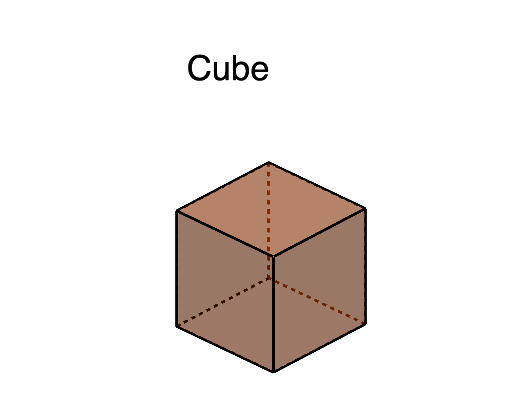
几何画板及绘图内容加载中,请稍等……
①本范例演示了从立方体通过连续变换生成四面体的过程;②涉及的核心数学概念包括立体几何、连续性、微积分、坐标几何;③作图要点提炼自构造摘要,使用了点、立方体、球体、相交、多边形、线段、旋转等GeoGebra命令与对象;④适合高中及以上学生及数学爱好者学习空间几何变换与微积分应用。
GeoGebra 命令及参数
Point(Circle[A, Distance[B, A], Segment[B, A]]) → ICube(B, A, I) → a, J, faceIJNM, faceKLMN, edgeBJ, edgeAB, edgeAI, edgeIJ, edgeBK, edgeJN, edgeKN, edgeKL, K, edgeAL, edgeLM, edgeIM, edgeMN, L, M, N, faceABJI, faceBJNK, faceABKL, faceAIMLSphere(G, s) → bSphere(F, s) → cSphere(H, s) → dSphere(E, s) → eSphere(I, s) → fSphere(C, s) → gSphere(B, s) → hSphere(A, s) → iIntersect(edgeKL, e) → O, O_1Intersect(edgeKL, c) → P_1, PIntersect(edgeAB, h) → Q_1, QIntersect(edgeAB, i) → R, R_1Intersect(edgeLM, d) → S, S_1Intersect(edgeMN, b) → T, T_1Intersect(edgeMN, d) → U_1, UIntersect(edgeIM, d) → V_1, VIntersect(edgeKN, b) → W_1, WIntersect(edgeJN, b) → Z, Z_1Intersect(edgeAL, e) → A_2, A_1Intersect(edgeLM, e) → B_2, B_1Intersect(edgeIM, f) → C_1, C_2Intersect(edgeIJ, f) → D_2, D_1Intersect(edgeIJ, g) → E_1, E_2Intersect(edgeJN, g) → F_2, F_1Intersect(edgeBJ, g) → G_2, G_1Intersect(edgeBJ, h) → H_1, H_2Intersect(edgeBK, h) → I_1, I_2Intersect(edgeBK, c) → J_2, J_1Intersect(edgeKN, c) → K_1, K_2Polygon(K_1, J_1, P) → t1, p, k_1, j_1Polygon(B_1, O, A_1) → t2, a_1, b_1, oPolygon(S, V, U) → t3, u, s_1, vPolygon(T, Z, W) → t4, w, t, z_1Intersect(edgeAL, i) → L_1, L_2Intersect(edgeAI, f) → M_1, M_2Intersect(edgeAI, i) → N_2, N_1Polygon(L_1, N_1, R) → t5, r, l_1, n_1Polygon(D_1, M_1, C_1) → t6, c_1, d_1, m_1Polygon(F_1, G_1, E_1) → t7, e_1, f_1, g_1Polygon(I_1, H_1, Q) → t8, q, i_1, h_1Segment(K_1, W) → jSegment(T, U) → kSegment(S, B_1) → lSegment(J_1, I_1) → mSegment(P, O) → nSegment(Z, F_1) → p_1Segment(A_1, L_1) → q_1Segment(R, Q) → r_1Segment(G_1, H_1) → t_1Segment(D_1, E_1) → f_2Segment(V, C_1) → g_2Segment(N_1, M_1) → h_2Segment(T, Z) → i_2Segment(F_1, E_1) → j_2Segment(C_1, D_1) → k_2Segment(V, U) → l_2Intersect(l_2, i_2) → O_2Intersect(l_2, k_2) → P_2Intersect(j_2, k_2) → Q_2Intersect(j_2, i_2) → R_2Polygon(O_2, P_2, Q_2, R_2) → q1, o_2, p_2, q_2, r_2Rotate(q1, 90°, zAxis) → q1'Rotate(q1, 180°, zAxis) → q1'_{1}Rotate(q1, 270°, zAxis) → q1'_{2}Rotate(O_2, 90°, zAxis) → S_2Rotate(P_2, 90°, zAxis) → T_2Rotate(Q_2, 90°, zAxis) → U_2Rotate(R_2, 90°, zAxis) → V_2Rotate(O_2, 180°, zAxis) → W_2Rotate(P_2, 180°, zAxis) → Z_2Rotate(Q_2, 180°, zAxis) → A_3Rotate(R_2, 180°, zAxis) → B_3Rotate(O_2, 270°, zAxis) → C_3Rotate(P_2, 270°, zAxis) → D_3Rotate(Q_2, 270°, zAxis) → E_3Rotate(R_2, 270°, zAxis) → F_3Rotate(q1, 90°, yAxis) → q1'_{3}Rotate(O_2, 90°, yAxis) → G_3Rotate(P_2, 90°, yAxis) → H_3Rotate(Q_2, 90°, yAxis) → I_3Rotate(R_2, 90°, yAxis) → J_3Rotate(q1, -90°, yAxis) → q1'_{4}Rotate(O_2, -90°, yAxis) → K_3Rotate(P_2, -90°, yAxis) → L_3Rotate(Q_2, -90°, yAxis) → M_3Rotate(R_2, -90°, yAxis) → N_3Polygon(R_2, T_2, S_2, N_3, M_3, O_2) → poly1, m_2, t_2, s_2, n_3, m_3, n_2Polygon(N_3, K_3, W_2, Z_2, V_2, S_2) → poly2, a_2, k_3, w_2, z_2, v_2, b_2Polygon(W_2, B_3, D_3, C_3, L_3, K_3) → poly3, c_2, b_3, d_3, c_3, l_3, d_2Polygon(C_3, F_3, P_2, O_2, M_3, L_3) → poly4, e_2, f_3, g_3, h_3, i_3, j_3Polygon(U_2, J_3, I_3, A_3, Z_2, V_2) → poly5, u_2, p_3, q_3, a_3, r_3, s_3Polygon(A_3, I_3, H_3, E_3, D_3, B_3) → poly6, t_3, e_3, f_4, g_4, h_4, i_4Polygon(E_3, H_3, G_3, Q_2, P_2, F_3) → poly7, j_4, k_4, l_4, m_4, n_4, p_4Polygon(R_2, Q_2, G_3, J_3, U_2, T_2) → poly8, q_4, r_4, s_4, t_4, a_4, b_4Polygon(S, U, T, W, K_1, P, O, B_1) → poly9, s_5, u_1, t_5, w_1, c_4, p_5, o_1, d_4Rotate(poly9, 90°, xAxis) → poly9'Rotate(poly9, 180°, xAxis) → poly9'_{1}Rotate(poly9, 270°, xAxis) → poly9'_{2}Rotate(K_1, -90°, yAxis) → O_3Rotate(J_1, -90°, yAxis) → P_3Segment(O_3, P_3) → p'Rotate(poly9'_{2}, 90°, zAxis) → poly10Rotate(poly9'_{2}, -90°, zAxis) → poly11
AI 绘图提示语参考
从一个立方体开始,逐步将其变形为一个四面体。首先创建一个立方体,然后通过旋转和截取的方式,逐步改变立方体的形状,最终形成一个四面体。注意观察每个步骤中关键点和面的变化。
以上提示语为根据原始绘图命令整理而来,仅供参考。