
填充球体 by julientalemi
几何画板及绘图内容加载中,请稍等……
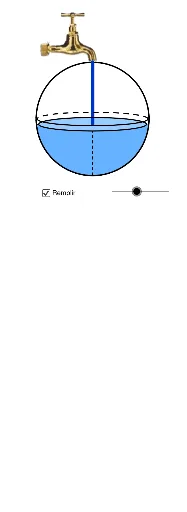
①本范例演示如何使用 GeoGebra 绘制并填充球体;②涉及核心数学概念包括立体几何、圆、函数、导数、线性规划;③作图要点提炼自构造摘要,使用了 Point(点)、OrthogonalLine(垂线)、Circle(圆)、Intersect(交点)、Ellipse(椭圆)、Arc(圆弧)、Distance(距离)、Segment(线段)、Function(函数)、Mirror(镜像)等命令/对象;④适合高中及以上学生学习和理解空间几何与相关数学应用。
GeoGebra 命令及参数
Point(xAxis) → AOrthogonalLine(A, xAxis) → a_2Circle(B, r) → dOrthogonalLine(B, yAxis) → eIntersect(d, e, 1) → CIntersect(d, e, 2) → DEllipse(E, F, D) → f_2Arc(f_2, D, C) → gArc(f_2, C, D) → hIntersect(p, xAxis) → H, I, JOrthogonalLine(K, yAxis) → lIntersect(d, l, 1) → GIntersect(d, l, 2) → LIntersect(a_2, l) → MIntersect(g, a_2, 1) → NDistance(B, N) → mDistance(B, A) → nDistance(B, M) → o_1Distance(B, N) → wIntersect(yAxis, xAxis) → RSegment(M, A) → a_1Segment(M, L) → b_1Circle(B, A) → g_1Intersect(g_1, a_2, 2) → SArc(f_2, C, D) → p_1Arc(f_2, D, C) → q_1Arc(d, L, G) → f_1Segment(S, M) → i_1Function(f1, 0, x(K) / 2.2) → g2Point(g_1) → A_1Mirror(Z, B) → Z'Point(g_1) → B_1Point(g_1) → C_1Ellipse(G - (0.2, 0), L + (0.2, 0), V) → c_1Ellipse(G - (0.2, 0), L + (0.2, 0), V) → d_1Ellipse(C - (0.1, 0), D + (0.1, 0), Z) → fArc(f, D, C) → e_1Arc(f, C, D) → h_1