
棱锥体积的 GeoGebra 动态探究
几何画板及绘图内容加载中,请稍等……
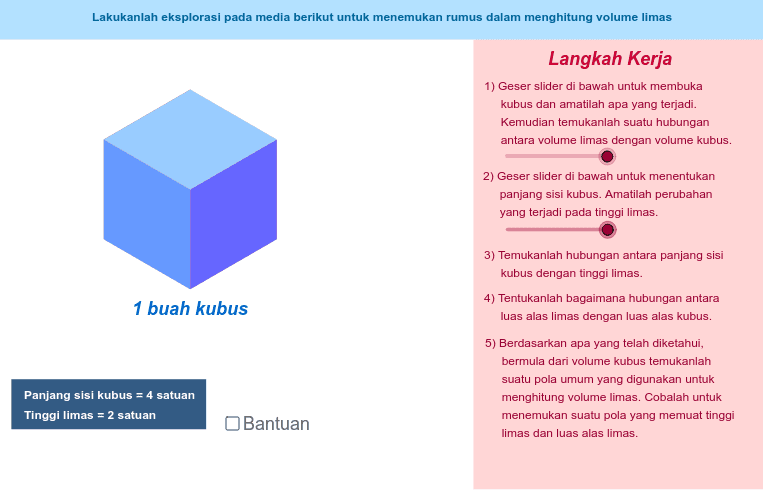
本范例演示用 GeoGebra 构造并探究棱锥体积的几何模型,通过底面多边形、顶点、高与斜边等对象展示体积公式 V=1/3Sh 的形成过程。核心概念包括棱锥、底面积、高、体积公式、三角函数求高或斜边、多边形与空间几何关系。作图要点:使用 Point 创建顶点与辅助点,Segment 连接棱与高,Polygon 构造底面或截面,Midpoint 获取中点辅助定位,Rotate 生成旋转后的对应点 E′、F′、E″、F″ 等,并配合对象 A、B、C、D、E、F、G、H、I、J、K、L、M、N 及 a_1、d_1、e_1 等标注,形成可交互的棱锥体积演示。适合初中至高中立体几何、数学实验课或教师备课演示。
GeoGebra 命令及参数
Point(Circle[A, r]) → BPoint(Circle[A, r]) → CPoint(Circle[C, r]) → DPoint(Circle[B, (2 * r)]) → ESegment(B, E) → ePoint(Circle[D, (2 * r)]) → FSegment(D, F) → fRotate(E, α, B) → E'Rotate(F, α, D) → F'Segment(B, E') → gSegment(D, F') → hPoint(g) → GPoint(h) → HRotate(E', α / 2, G) → E''Rotate(F', α / 2, H) → F''Point(Circle[C, r]) → ISegment(C, I) → pPoint(Circle[D, r]) → JSegment(D, J) → qRotate(C, α / 2, C) → C'Rotate(I, α / 2, C) → I'Rotate(D, α / 2, D) → D'Rotate(J, α / 2, D) → J'Point(Circle[A, r]) → KSegment(A, K) → tPoint(Circle[B, r]) → LSegment(B, L) → a_1Rotate(B, (-α), B) → B'Rotate(L, (-α), B) → L'Rotate(A, (-α), A) → A'Rotate(K, (-α), A) → K'Point(Circle[A, r]) → MSegment(A, M) → d_1Point(Circle[C, r]) → NSegment(C, N) → e_1Rotate(A, (-(α / 2)), A) → A'_1Rotate(M, (-(α / 2)), A) → M'Rotate(C, (-(α / 2)), C) → C'_1Rotate(N, (-(α / 2)), C) → N'Midpoint(H, E'') → OMidpoint(D, G) → PMidpoint(C, B) → QMidpoint(A, L') → RMidpoint(N', A) → SMidpoint(I', D) → TPoint(Circle[P, r / 2]) → USegment(P, U) → i_1Rotate(U, α / 2, P) → U'Point(Circle[O, r / 2]) → VSegment(O, V) → n_1Rotate(V, α / 2, H) → V'Point(Circle[T, r / 2]) → WSegment(T, W) → t_1Point(Circle[Q, r / 2]) → ZSegment(Q, Z) → a_2Point(Circle[R, r / 2]) → A_1Segment(R, A_1) → b_2Point(Circle[S, r / 2]) → B_1Segment(S, B_1) → c_2Rotate(A_1, (-(α / 2)), R) → C_1Rotate(B_1, (-α), S) → D_1Rotate(W, α, T) → W'Polygon(Z, E_1, B) → poly3, b_1, z, e_2Polygon(Z, D, B) → poly4, b_3, z_1, dPolygon(E_1, K', L', B) → poly1, e_3, k', l', bPolygon(C_1, L', B) → poly2, b_4, c_1, l'_1Polygon(K', L', C_1) → poly5, c_3, k'_1, l'_2Polygon(D, B, G, H) → poly6, d_2, b_5, g_1, h_1Polygon(U', B, G) → poly7, g_2, u', b_6Polygon(U', H, G) → poly8, g_3, u'_1, h_2Polygon(H, F'', E'', G) → poly9, h_3, f'', e'', g_4Polygon(V', E'', F'') → poly10, f''_1, v', e''_1Polygon(V', G, E'') → poly11, e''_2, v'_1, g_5Polygon(W', D, J') → poly12, j', w', d_3Polygon(C, W', D) → poly13, d_4, c, w'_1Polygon(J', I', W') → poly14, w'_2, j'_1, i'Polygon(D_1, E_1, Z) → poly15, z_2, d_5, e_4Polygon(D_1, N', M') → poly16, m', d_6, n'Polygon(M', E_1, D_1) → poly17, d_7, m'_1, e_5Polygon(F_1, G_1, H_1, I_1) → poly18, f_1, g_6, h_4, i_2Polygon(J_1, K_1, L_1, M_1) → poly19, j_1, k_1, l_1, m_1Polygon(N_1, O_1, P_1, Q_1) → poly20, n_2, o_1, p_1, q_1
AI 绘图提示语参考
画一个动态金字塔体积模型,展示底面多边形、顶点、高度和斜边如何关联体积公式 V=1/3Sh。首先构建底面多边形和顶点,然后画出高度和斜边。通过旋转和辅助点生成侧面,并标注关键点如 G、H、E''、F''。最后,计算中点 O、P、Q、R、S、T,并画出辅助圆和线段,完整呈现几何关系和体积计算过程。
以上提示语为根据原始绘图命令整理而来,仅供参考。