
画师椭圆
几何画板及绘图内容加载中,请稍等……
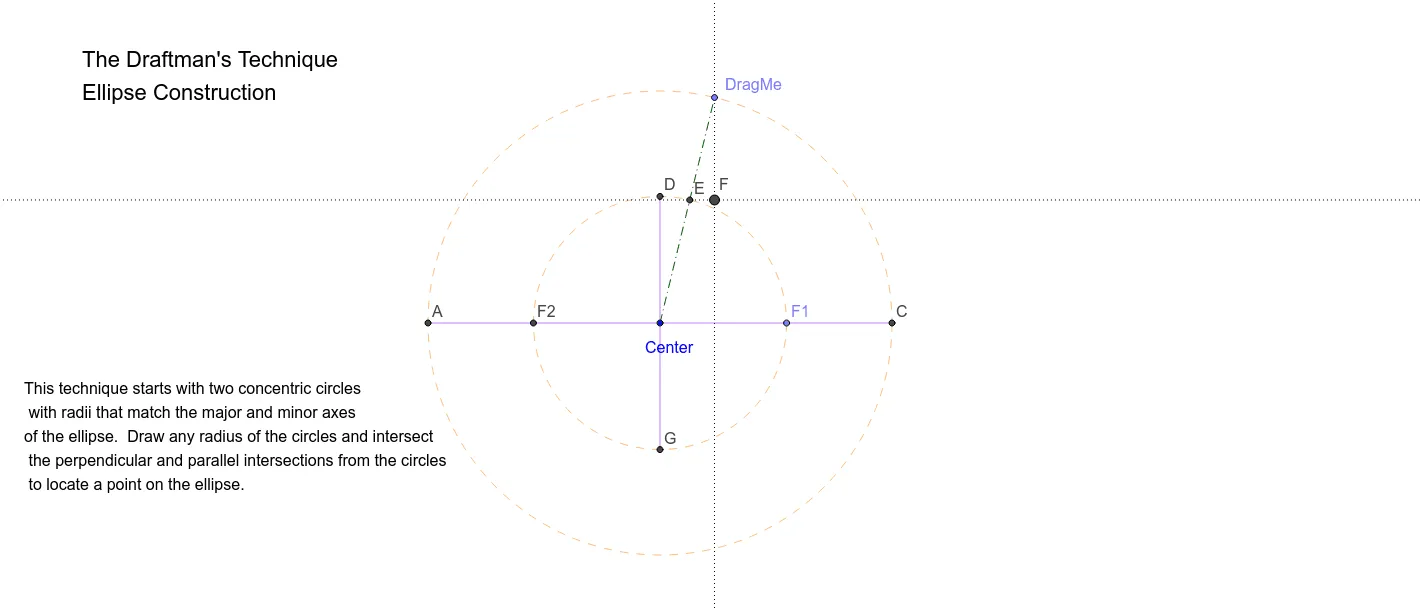
该范例演示了如何使用几何画板绘制椭圆。核心数学概念包括椭圆的定义和性质。通过使用Circle, Line, Point, Segment, OrthogonalLine, Intersect等命令,可以动态地展示椭圆的生成过程。适合高中数学教学和学习。
GeoGebra 命令及参数
Circle(Center, B) → cLine(Center, B) → aPoint(a) → F1Circle(Center, F1) → dPoint(c) → DragMeSegment(Center, DragMe) → bOrthogonalLine(DragMe, a) → eIntersect(d, b, 1) → ELine(E, a) → fIntersect(e, f) → FIntersect(d, a, 2) → F2Line(F2, F1) → gIntersect(c, g, 1) → AIntersect(c, g, 2) → CSegment(A, C) → hOrthogonalLine(Center, h) → iIntersect(d, i, 2) → DIntersect(d, i, 1) → GSegment(D, G) → j
AI 绘图提示语参考
画一个椭圆,先画一个圆和一条通过圆心的直线,再以圆心为圆心、直线与圆的交点为圆心画另一个圆。接着,画一条通过圆心且与直线垂直的直线,找到两个圆与该直线的交点,并连接这两个交点。然后,画一条通过这两个交点的直线,并找到它与圆的交点。最后,连接这两个交点,并画一条通过圆心且与连接线垂直的直线,找到它与另一个圆的交点,并连接这两个交点,形成椭圆。
以上提示语为根据原始绘图命令整理而来,仅供参考。