
圆周率概念演示
几何画板及绘图内容加载中,请稍等……
所属专题
Mathematics Form 2
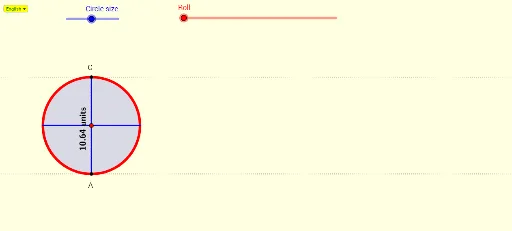
①本范例通过动态演示圆的周长与直径比值,直观展示圆周率π的恒定性与计算方法;②涉及核心数学概念包括圆、方程、代数、正态分布、极限、百分比;③作图要点运用了GeoGebra命令如SelectedIndex, If, Line, Point, Circle, Intersect, Distance, Vector, Translate, Rotate, CircleArc, Segment, Midpoint, OrthogonalLine, RotateText及对象如Bahasa, nn, UTex, A, f, M, c, C, AD, g, OA, a, Cf, B, u, c', O, α, D, d, h, e, b, i, j, E, F, AB, k, l, G, m, H, I, n, p, text1, text3, text4, text2;④适合高中数学教学,用于理解圆周率定义及极限思想。
GeoGebra 命令及参数
SelectedIndex(Bahasa) → nnIf(nn ≟ 1, "units", "unit") → UTexLine(A, yAxis) → fPoint(f) → MCircle(M, A) → cIntersect(c, f, 2) → CDistance(A, C) → ADLine(A, xAxis) → gDistance(M, A) → OAVector(A, B) → uTranslate(c, u) → c'Translate(M, u) → ORotate(B, (-α), O) → DCircleArc(O, B, D) → dSegment(A, B) → hCircle(M, A) → eSegment(A, C) → iSegment(A, C) → jMidpoint(C, A) → EMidpoint(A, B) → FDistance(A, B) → ABLine(C, g) → kLine(O, D) → lIntersect(c', l, 1) → GOrthogonalLine(O, l) → mIntersect(c', m, 2) → HIntersect(c', m, 1) → ISegment(D, G) → nSegment(I, H) → pRotateText(text1, 90°) → text3If(nn ≟ 1, "Find the ratio AB : AC for different circle size", "Cari nisbah AB : AC bagi saiz bulatan berlainan") → Tex1
AI 绘图提示语参考
绘制一个圆,并在圆上选取两个点A和B。通过点A和圆心M画一条线段,通过点A和B画一条弦。旋转点B得到点D,然后画出以点O为中心的圆弧。通过点A和B画一条线段AB,通过点A和C画一条线段AC。构造点E和F分别为AC和AB的中点,然后画出线段DE和线段EF。最后,构造线段DG和线段HI,其中G和H是圆弧和垂直线的交点。
以上提示语为根据原始绘图命令整理而来,仅供参考。