
立方体与正十二面体的折纸动画模型
几何画板及绘图内容加载中,请稍等……
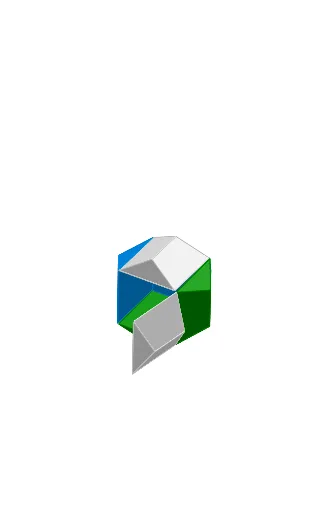
该范例演示了一个由纸张折叠而成的立方体与正十二面体组合模型的动态动画,展示了立体几何中多面体之间的变换与空间关系。核心数学概念包括正多面体(立方体、正十二面体)、旋转、对称性以及三维空间中的几何变换。作图要点方面,构造摘要显示使用了Point、Line、PolyLine、Segment、OrthogonalLine、Intersect、If、Plane、Polygon、Rotate、IntersectPath、RoofPoly2等GeoGebra命令,并涉及shift、K_1、T、S、m、g_1、D_2、h_1、Z_1、D_4、E_2、B_2、C_2、A_2、t、clock、rot1s、D、C、cc、A、C_1、B_1、A_1、Z、W、V、p、constClock、U、n、A1、rot1a、constSingle、rot0、bControl、rot1、J_1、I_1、G_1等对象,通过滑块控制旋转动画,实现折纸过程的动态展示。该范例适合中学高年级或大学低年级学生,用于理解正多面体的性质、空间想象能力培养以及GeoGebra三维建模与动画制作技巧。
GeoGebra 命令及参数
Point(xAxis) → SLine(S, T) → mLine(K_1, m) → g_1Line(D_2, m) → h_1Point(h_1) → B_2Point(h_1) → C_2Point(g_1) → A_2PolyLine(Z_1, A_2, B_2, C_2, D_4, E_2) → tSegment(C, D) → ccPoint(h_1) → A_1Point(h_1) → ZPoint(g_1) → WPolyLine(V, W, Z, A_1, B_1, C_1) → pOrthogonalLine(U, m) → nIntersect(n, p) → A1If(bControl ≟ constSingle, rot0, If[bControl ≟ constClock, rot1a, rot1s]) → rot1Point(h_1) → G_1Point(g_1) → F_1Point(t) → H_1PolyLine(E_1, F_1, G_1, H_1, I_1, J_1) → qIntersect(n, q) → A2Point(h_1) → O_1Point(h_1) → N_1Point(g_1) → M_1PolyLine(L_1, M_1, N_1, O_1, P_1, Q_1) → rIntersect(n, r) → A3Point(h_1) → U_1Point(h_1) → T_1Point(g_1) → S_1PolyLine(R_1, S_1, T_1, U_1, V_1, W_1) → sIntersect(n, s) → A4Intersect(n, t) → A5Segment(D, A) → ddPlane(B, C, D) → eSegment(A, B) → aaSegment(B, C) → bbIf(bControl ≟ constSingle, rot0, If[bControl ≟ constClock, rot4a, rot4s]) → rot4Polygon(A, B, C, D) → poly1, a, b, c, dRotate(B, (-rot1), cc) → B'Rotate(C, (-rot1), cc) → C'Rotate(D, (-rot1), cc) → D'Rotate(A, (-rot1), cc) → A'Polygon(A', B', C', D') → poly1', a', b', c', d'If(bControl ≟ constSingle, rot0, If[bControl ≟ constClock, rot2a, rot2s]) → rot2Rotate(poly1', rot2, b') → poly1''Rotate(D', rot2, b') → D''Rotate(A', rot2, b') → A''Segment(B', A'') → fIf(bControl ≟ constSingle, rot0, If[bControl ≟ constClock, rot3a, rot3s]) → rot3Rotate(poly1'', rot3, f) → poly1'''Rotate(D'', rot3, f) → D'''Rotate(C', rot3, f) → C'''Segment(A'', D''') → gRotate(poly1''', (-rot4), g) → poly2Rotate(C''', (-rot4), g) → C''''Rotate(B', (-rot4), g) → B'''Segment(D''', C'''') → hIf(bControl ≟ constSingle, rot0, If[bControl ≟ constClock, rot5a, rot5s]) → rot5Rotate(A'', rot5, h) → A'''Rotate(B''', rot5, h) → B''''Rotate(e, gable, dd) → e'_3Rotate(e, (-roof), aa) → e'_1IntersectPath(e'_3, e'_1) → iRotate(e, gable, bb) → e'IntersectPath(e', e'_1) → jRotate(e, (-roof), cc) → e'_2IntersectPath(e'_3, e'_2) → kIntersectPath(e', e'_2) → lIntersect(l, k) → EIntersect(j, i) → FRoofPoly2(A, B, C, D, gable, roof) → G, H, poly3, poly4, poly5, poly6, poly7RoofPoly2(A', D, C, B', gable, roof) → I, J, poly8, poly9, poly10, poly11, poly12RoofPoly2(C''', B', A'', D''', gable, roof) → K, L, poly13, poly14, poly15, poly16, poly17RoofPoly2(A''', D''', C'''', B'''', gable, roof) → M, N, poly18, poly19, poly20, poly21, poly22RoofPoly2(C, D'', A'', B', gable, roof) → O, P, poly23, poly24, poly25, poly26, poly27RoofPoly2(A'', B''', C'''', D''', gable, roof) → Q, R, poly28, poly29, poly30, poly31, poly32Line(D_1, m) → f_1
AI 绘图提示语参考
绘制一个立方体和一个正十二面体的折纸动画模型,展示两者在立体几何中的空间关系和变换。模型通过旋转和对称性动态模拟折纸过程,使用滑块控制动画。首先构建基本几何元素,如点和线,然后形成多边形和折线,接着利用正交线和交点确定关键位置,最后通过旋转和变换形成最终的立体模型。
以上提示语为根据原始绘图命令整理而来,仅供参考。