
正方体锥体的截面
几何画板及绘图内容加载中,请稍等……
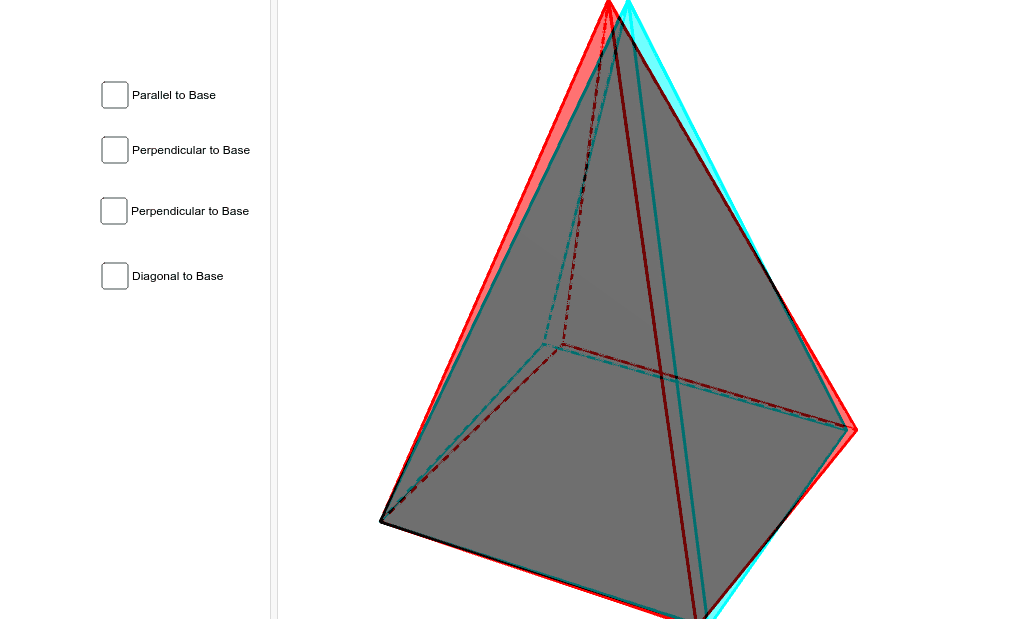
该范例演示了正方体锥体的截面。涉及的核心数学概念包括立体几何和解析几何。通过使用GeoGebra命令如Intersect、Point、Polygon、Pyramid等,可以构造出正方体锥体的截面。适合高中数学教学和学习。
GeoGebra 命令及参数
Intersect(xAxis, yAxis) → APoint(xAxis) → BPolygon(A, B, 4) → poly1, a, b, c, d, C, DPyramid(poly1, 6) → e, E, faceABE, faceBCE, faceCDE, faceADE, edgeAE, edgeBE, edgeCE, edgeDEPoint(edgeBE) → FLine(F, b) → fIntersect(f, edgeCE) → GOrthogonalLine(F, a, space) → gOrthogonalLine(G, c, space) → hIntersect(a, g) → HIntersect(c, h) → IPoint(edgeBE) → JOrthogonalPlane(J, edgeBE) → kIntersectPath(k, e) → poly3, K, q, L, M, N, O, l, m, n, pPoint(edgeCE) → PLine(P, b) → iIntersect(i, edgeBE) → QLine(P, c) → rIntersect(edgeDE, r) → RPlane(Q, P, R) → sIntersectPath(s, e) → poly2, S, T, U, V, t, a_1, b_1, c_1OrthogonalLine(F, poly1) → d_1Intersect(edgeBE, b) → WIntersect(edgeDE, c) → ZSegment(W, Z) → e_1Intersect(e_1, d_1) → A_1OrthogonalLine(F, e_1, space) → f_1OrthogonalPlane(F, e_1) → vIntersectPath(v, e) → poly4, B_1, C_1, D_1, g_1, h_1, i_1Point(edgeBE) → E_1Line(E_1, b) → j_1Intersect(edgeCE, j_1) → F_1OrthogonalLine(F_1, poly1) → k_1Point(k_1) → G_1Plane(E_1, F_1, G_1) → wIntersectPath(w, e) → poly5, H_1, I_1, J_1, K_1, l_1, m_1, n_1, p_1
AI 绘图提示语参考
绘制一个正方体底面的四棱锥,并展示其不同平面截面。首先建立坐标系,画出四棱锥的底面和四个侧面。接着,通过截面线与棱线的交点,构造多个平面截面,包括平行于底面的截面、垂直于底面的截面以及斜截面。最后,确保所有截面都正确地与棱线相交,形成完整的截面图形。
以上提示语为根据原始绘图命令整理而来,仅供参考。