
凸多面体的坐标构造
几何画板及绘图内容加载中,请稍等……
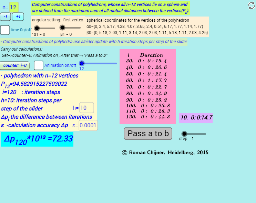
本范例演示如何通过坐标构造凸多面体。涉及的核心数学概念包括解析几何和立体几何。通过使用GeoGebra命令如Sum、If、Textfield等,可以构造出各种凸多面体。适合高中及以上学生或教师使用,用于教学或自我学习。
GeoGebra 命令及参数
Sum(Join[Sequence[Sequence[sqrt((Element[Element[A00, i], 1] - Element[Element[A00, j], 1])^(2) + (Element[Element[A00, i], 2] - Element[Element[A00, j], 2])^(2) + (Element[Element[A00, i], 3] - Element[Element[A00, j], 3])^(2)), j, i + 1, n], i, 1, n - 1]]) → ppIf(bu, "Pause", "Play") → captionTextfield(h) → inputBox1Textfield(n) → inputBox2Textfield(ε) → inputBox3If(dd < ε, 0, 1) → bu2Sequence((2 * Element[pumfang0, i] / (((i + 3) * (i + 2)))), i, 1, Length[pumfang0]) → pumfang1Sum(Zip[(T * F), T, SysTimeAkt1, F, {1, 1000, 60000, 3600000, 86400000}]) → TimeAbs1Sum(Zip[(T * F), T, SysTimeAkt2, F, {1, 1000, 60000, 3600000, 86400000}]) → TimeAbs2Div(TimeRelab, 3600) → HDiv(TimeRelab - (H * 3600), 60) → MElement(ZwZeit, step) → text10TableText({Append[" i Duration", Last[ZwZeit, Min[10, Length[ZwZeit]]]]}, "v") → text2c