
大图形的全等
几何画板及绘图内容加载中,请稍等……
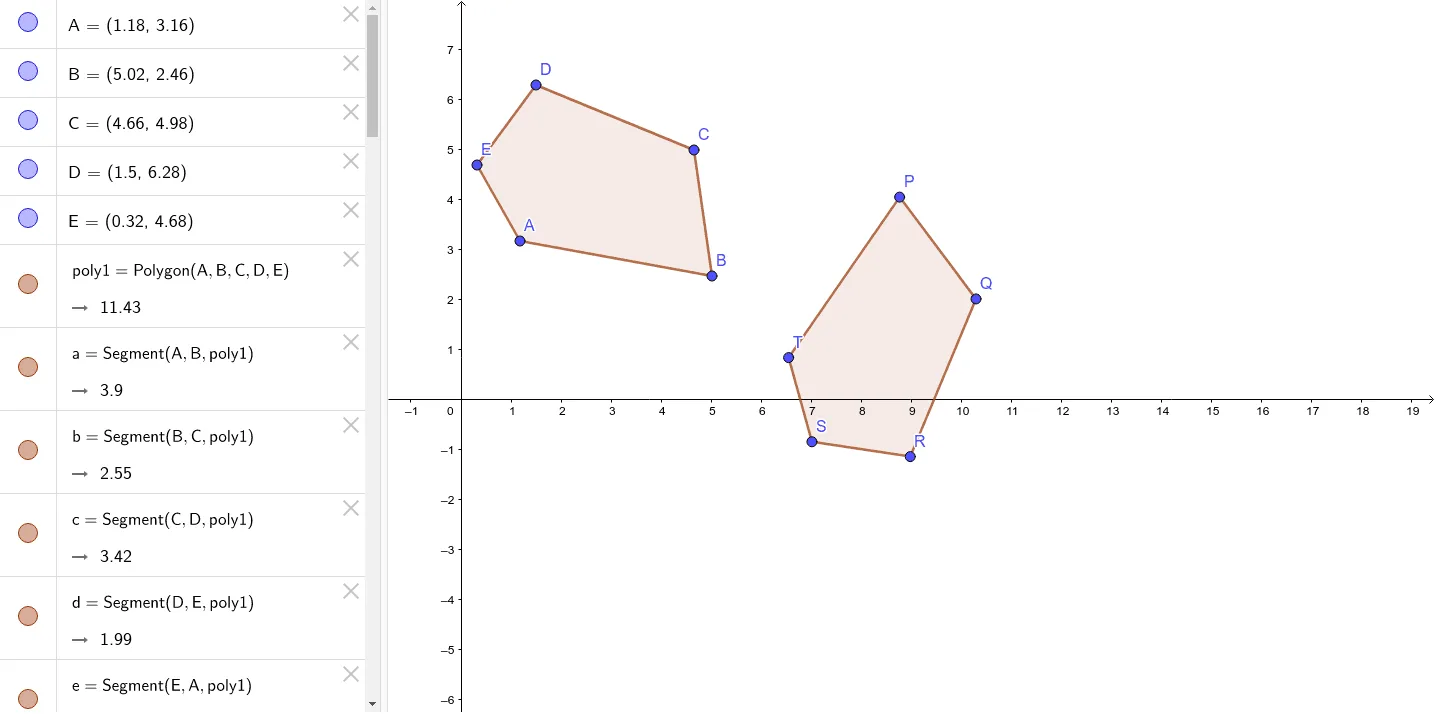
这个范例演示了大图形的全等性质。涉及的核心数学概念是全等变换,包括平移、旋转和镜像。通过使用GeoGebra命令如Polygon、Vector、Translate、Rotate、Mirror等,可以构造出全等的图形。适合初中及以上学生学习几何变换和全等图形的概念。
GeoGebra 命令及参数
Polygon(A, B, C, D, E) → poly1, a, b, c, d, eVector(F, G) → uTranslate(A, u) → A'Translate(B, u) → B'Translate(C, u) → C'Translate(D, u) → D'Translate(E, u) → E'Polygon(A', B', C', D', E') → poly1', a', b', c', d', e'Rotate(A', (-(45°)), G) → A''Rotate(B', (-(45°)), G) → B''Rotate(C', (-(45°)), G) → C''Rotate(D', (-(45°)), G) → D''Rotate(E', (-(45°)), G) → E''Polygon(A'', B'', C'', D'', E'') → poly1'', a'', b'', c'', d'', e''Point(xAxis) → HPoint(xAxis) → ILine(H, I) → fMirror(A'', f) → TMirror(B'', f) → PMirror(C'', f) → QMirror(D'', f) → RMirror(E'', f) → SPolygon(T, P, Q, R, S) → poly1''', a''', b''', c''', d''', e'''