
分割法求简单多边形面积(七巧板)
几何画板及绘图内容加载中,请稍等……
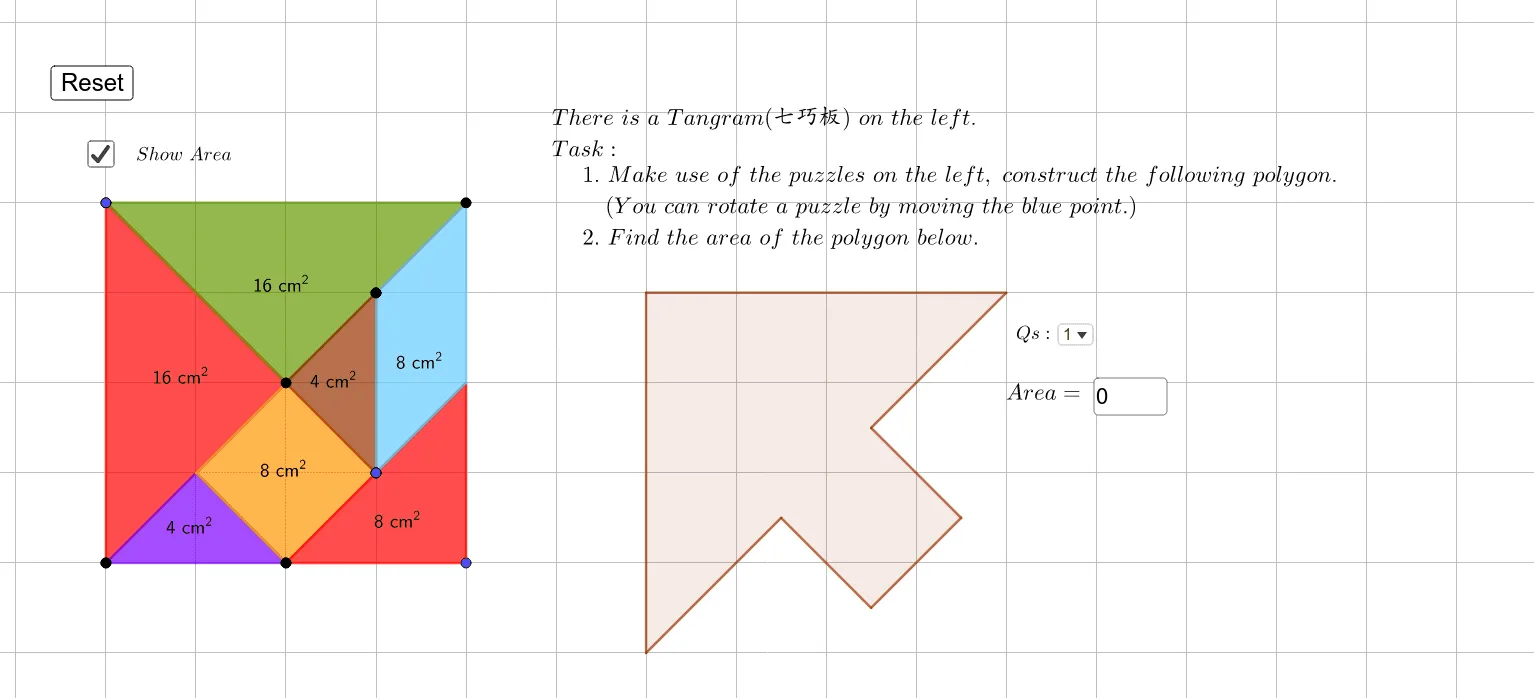
①本范例演示通过分割七巧板形状来计算简单多边形的面积;②涉及的核心数学概念包括多边形面积计算、几何分割、三角形面积公式、四边形性质;③作图要点——使用了Point(点)、Polygon(多边形)、PointIn(点在对象内判断)、Textfield(文本字段)等GeoGebra命令/对象;④适合初中数学教学,用于理解多边形面积计算方法及几何直观。
GeoGebra 命令及参数
Point(Circle[A, 8]) → BPolygon(A, B, C) → t1, c, a, bPoint(Circle[D, 8]) → EPolygon(D, E, G) → t2, g, d, ePoint(Circle[F, 4]) → HPolygon(F, H, I) → t3, i, f, hPoint(Circle[J, 2.8284271247461903]) → KPolygon(J, K, L, M) → q1, j, k, l, mPoint(Circle[N, 4]) → OPolygon(N, O, P) → t4, p, n, oPoint(Circle[Q, 4]) → RPolygon(Q, R, S) → t5, s, q, rPoint(Circle[U, 4]) → VPolygon(U, V, W, Z) → q2, u, v, w, z_1PointIn(t2) → Pointt2PointIn(t1) → Pointt1PointIn(q1) → Pointq1PointIn(t3) → Pointt3PointIn(t4) → Pointt4PointIn(q2) → Pointq2PointIn(t5) → Pointt5Polygon(T, A_1, B_1, C_1, D_1, E_1, F_1) → poly1, t, a_1, b_1, c_1, d_1, e_1, f_1Polygon(G_1, H_1, I_1, J_1, K_1) → poly2, g_1, h_1, i_1, j_1, k_1Polygon(L_1, M_1, N_1, O_1, P_1, Q_1) → poly3, l_1, m_1, n_1, o_1, p_1, q_1Polygon(R_1, S_1, T_1, U_1, V_1, W_1) → poly4, r_1, s_1, t_1, u_1, v_1, w_1Textfield(SSANS) → InputBox1Polygon(D_2, E_2, F_2, G_2, H_2) → poly5, d_2, e_2, f_2, g_2, h_2